
For coaches
Score it once.
Coach from it all season.
Every screen below is the real product, captured from a live demo team. The stat a coach taps on the bench tonight becomes a rotation read in the third set, a practice plan on Tuesday, and a player's verified record all season.
Game day
One person scores on an iPad. Everyone else — the bench, the stands, the family at work — sees it live.
StatPad
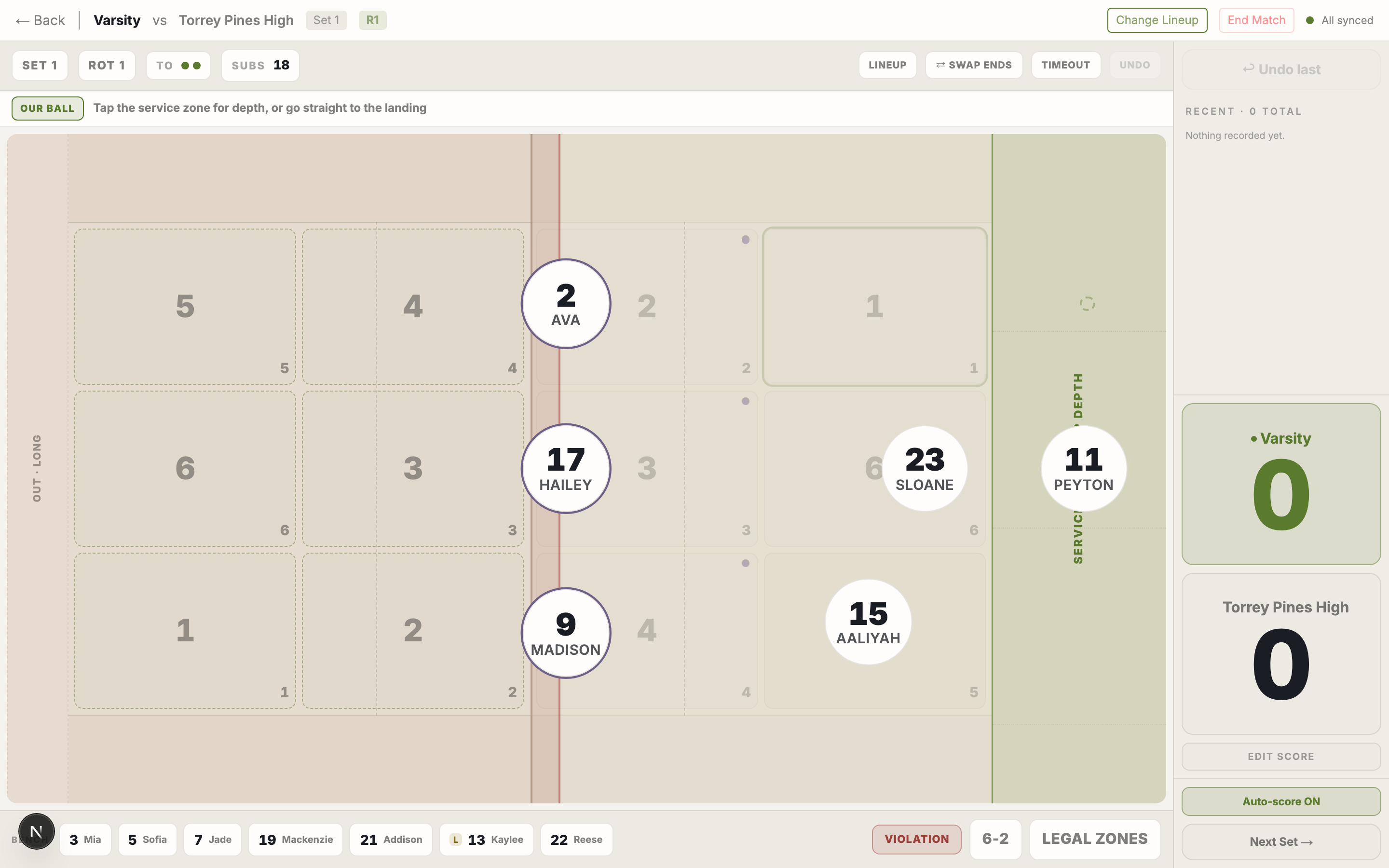
Tap what happens
Score the match by tapping who touched the ball. Score, rotation, and every stat follow from the taps — no paper scoresheet to transcribe at 11pm.
StatPad
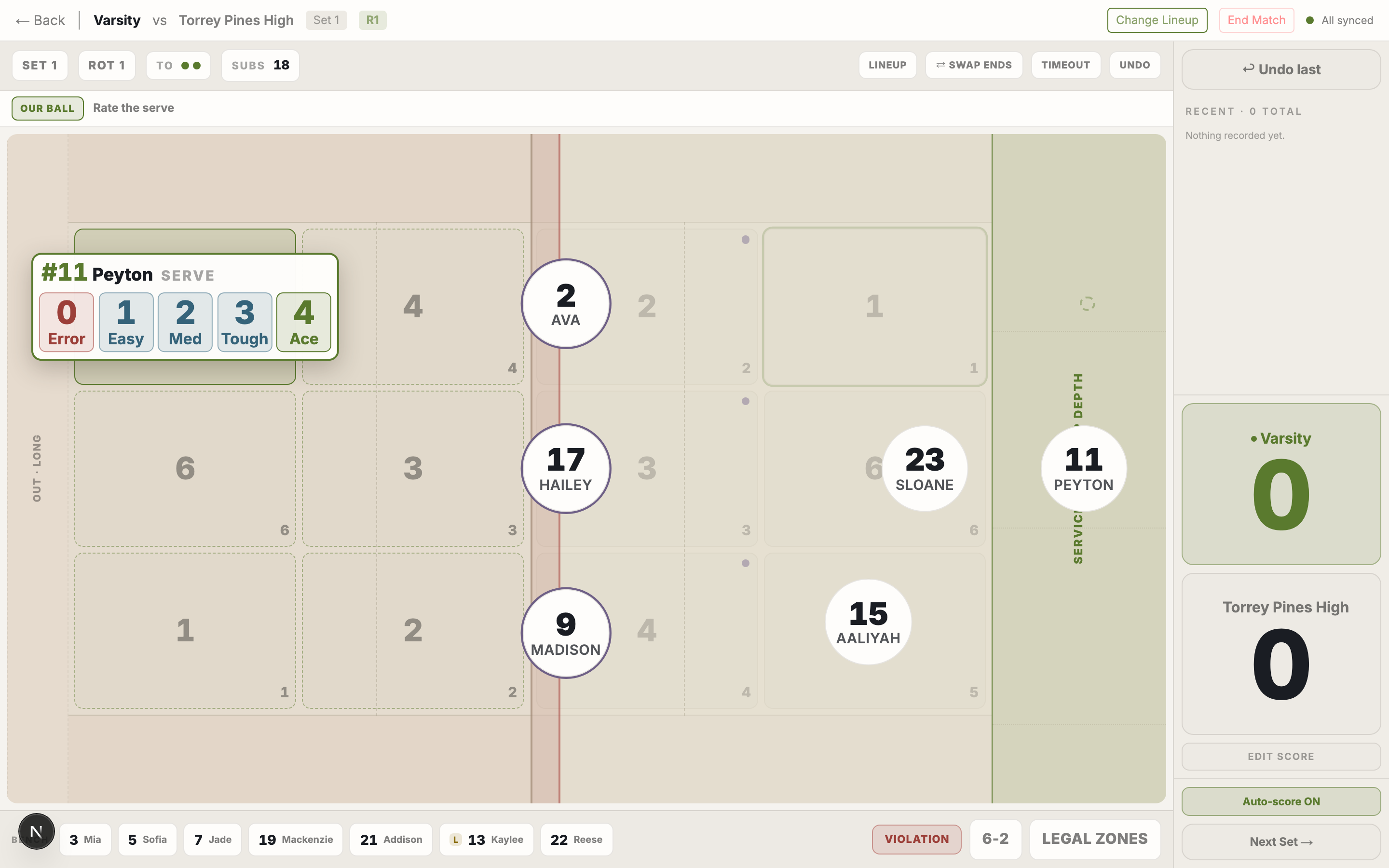
Every touch gets a quality
Not just what happened, but how well. Serves, passes, sets, attacks and digs each carry their own rating scale, and those ratings become the trends everything else reads.
StatPad
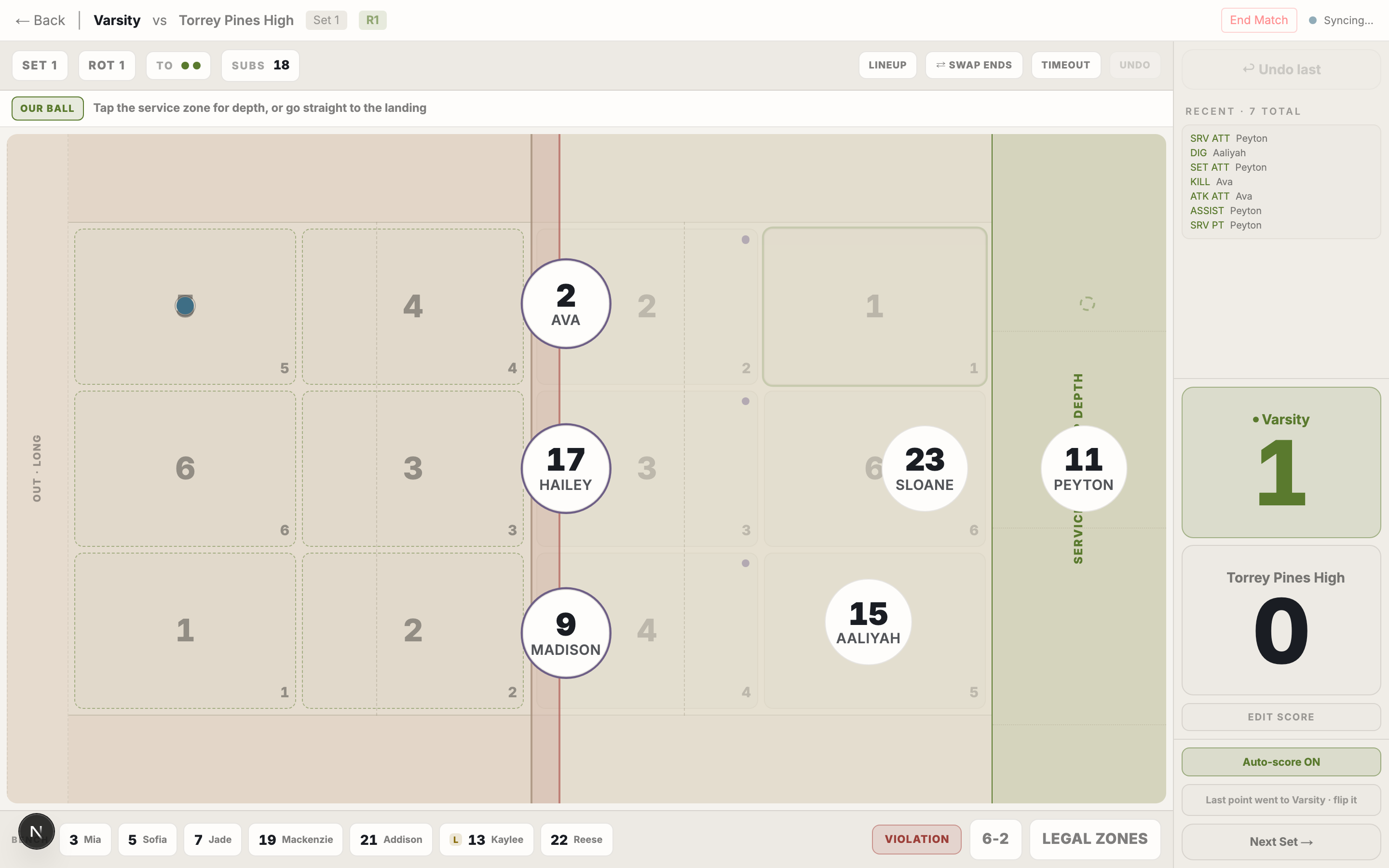
The rally, in order
A running log of every touch as it lands. Mis-tap? Undo steps back through the rally without costing you a scored point.
Serve tracking
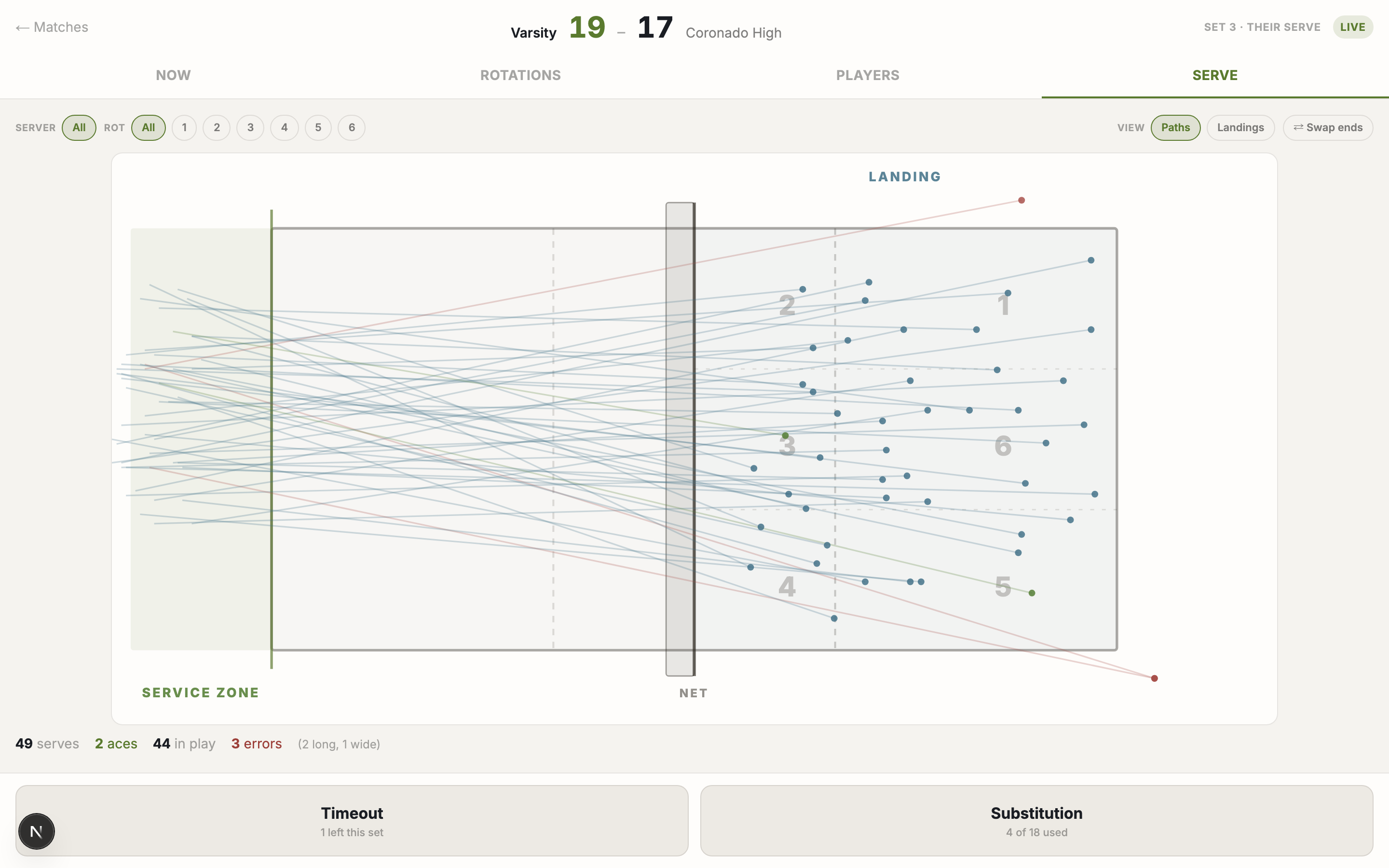
Where serves actually go
Every serve records where it was struck from and where it landed — real positions, not zone buckets. A season of them becomes a heatmap of what your servers do under pressure.
CoachPad
The bench sees it live
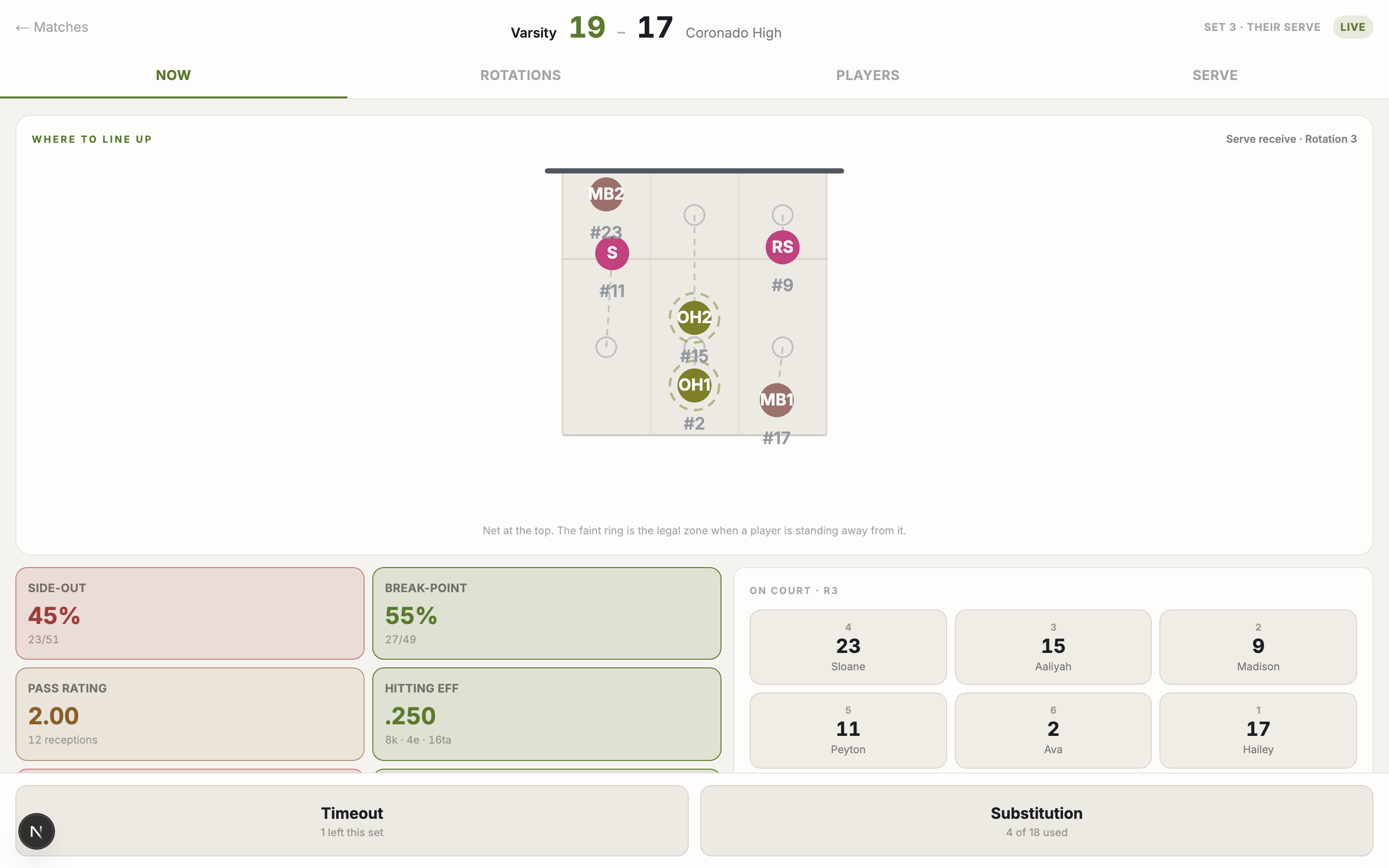
While someone scores on StatPad, CoachPad mirrors the match on your own device — score, rally log, rotation, box score — built for the thirty seconds of a timeout.
CoachPad
Rotation reads mid-match
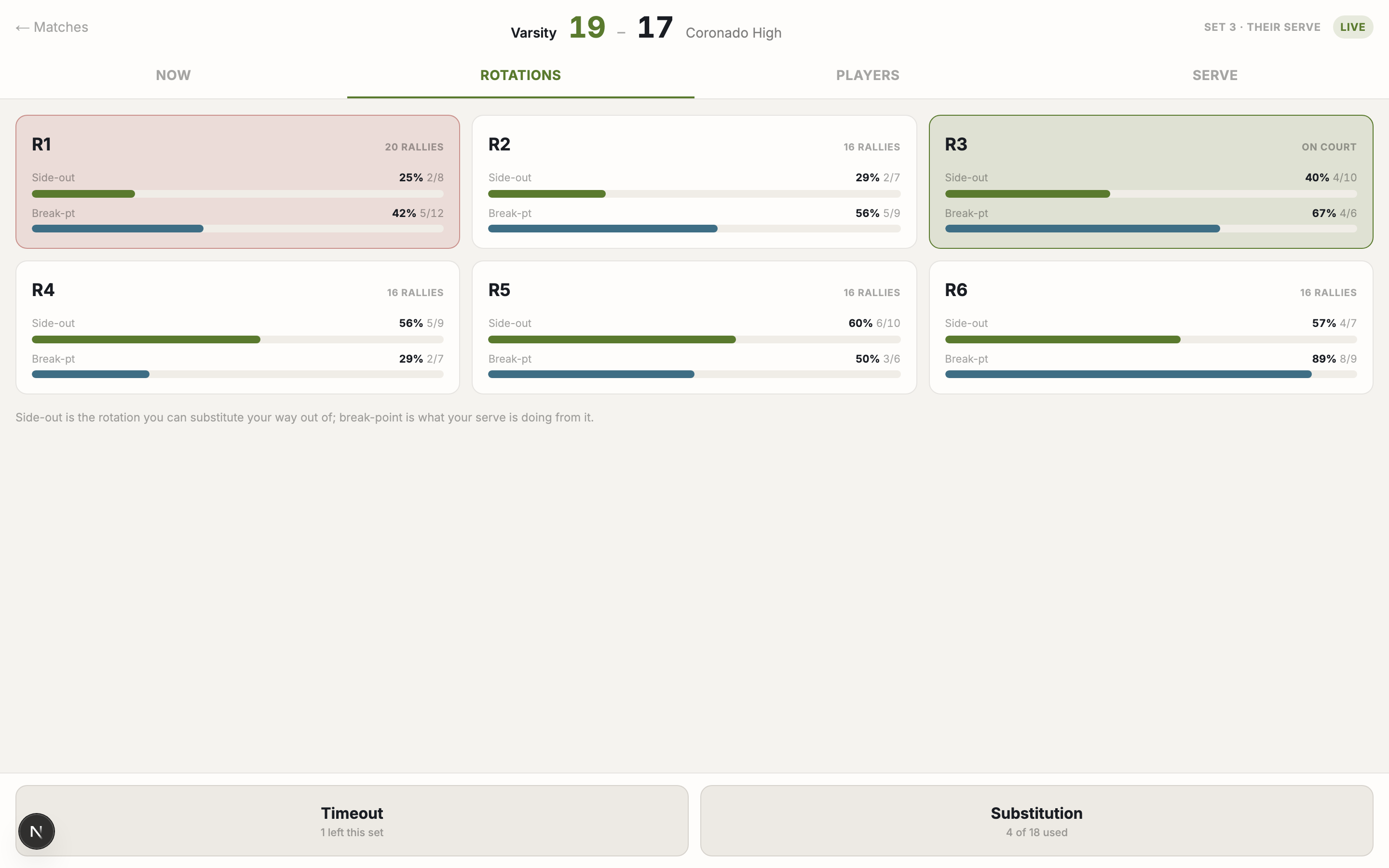
Which rotation is bleeding points, split by serve and receive, while there is still a set left to fix it in.
StatPad
Track the other side too
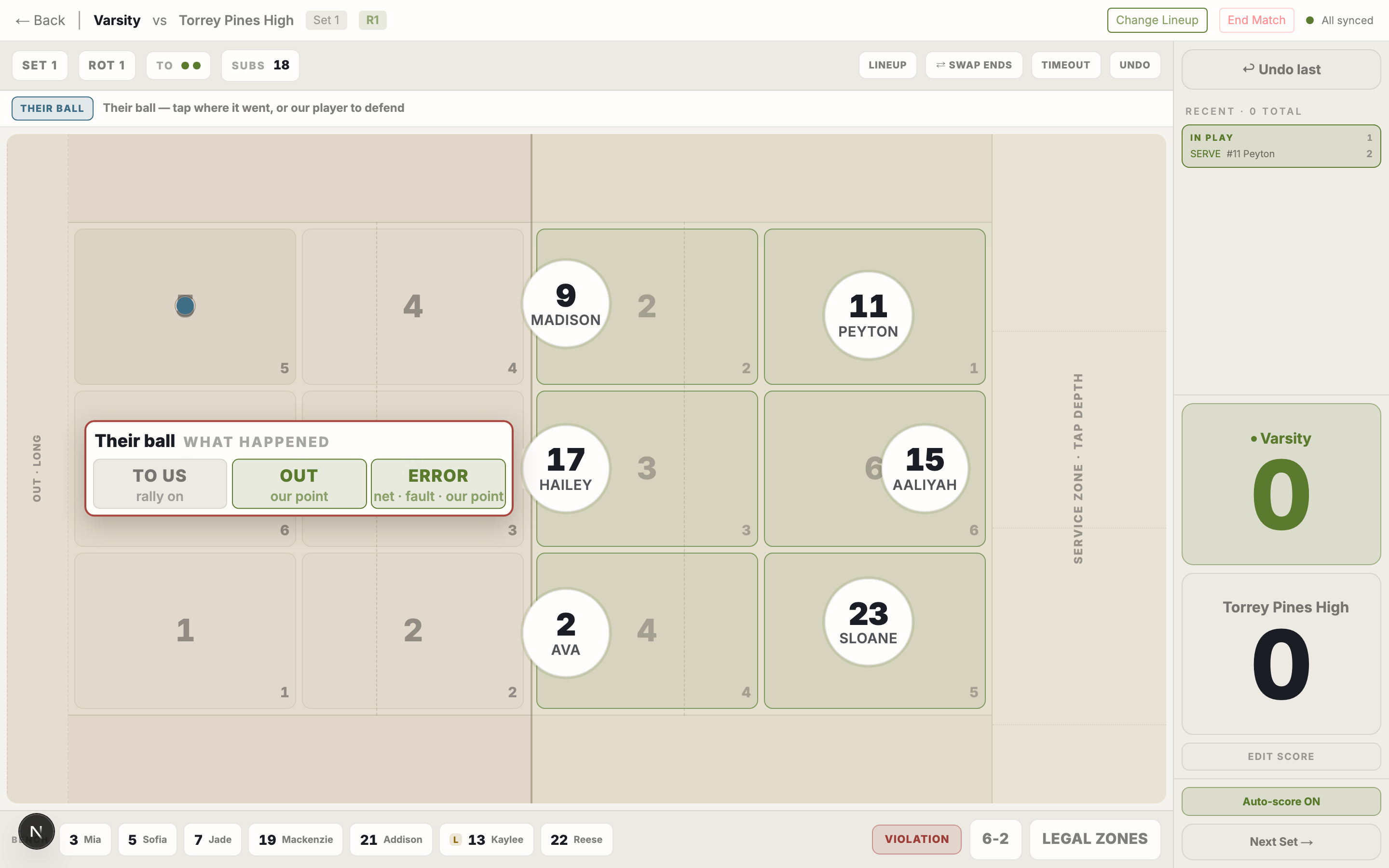
Opponent contacts land on the same court, so their hitters’ tendencies by rotation build while you score your own team.
Live hub
Families follow from anywhere
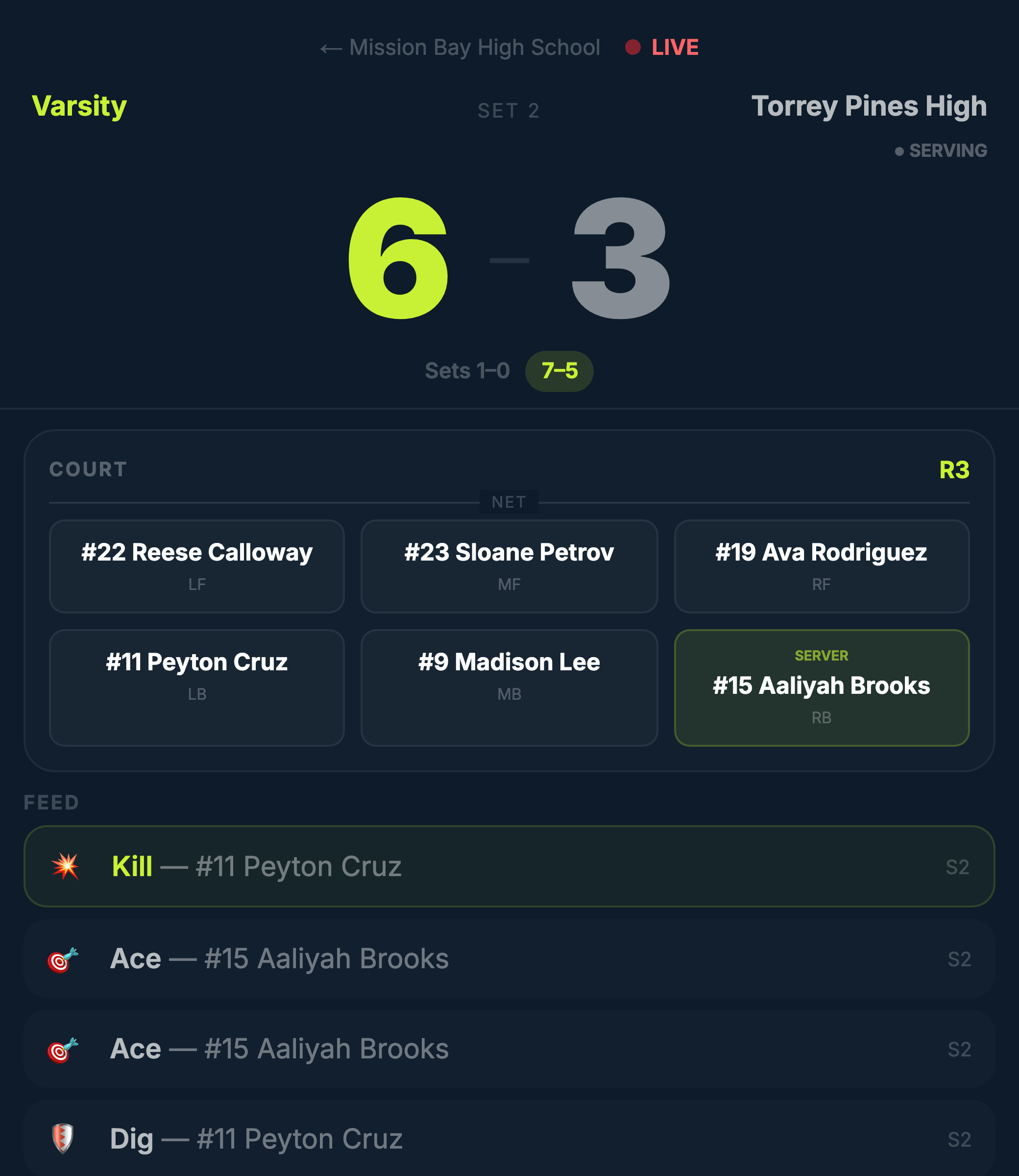
One public link: live score, who is on court, every kill and ace as it is tapped in. No login, no app. Names stay masked unless you decide otherwise — and for the youngest teams, always.
After the whistle
The match becomes a report before the ball cart is loaded.
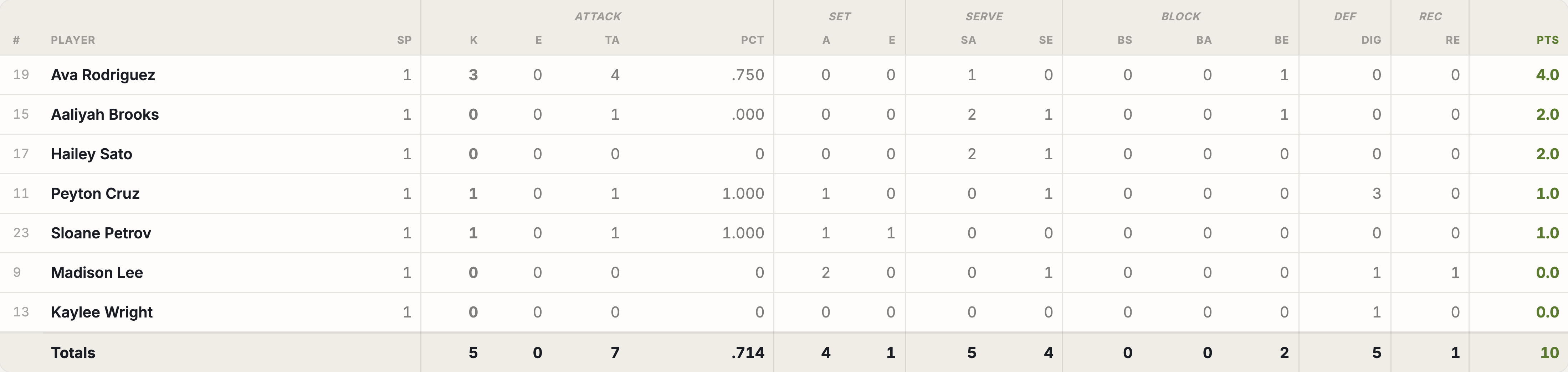
Box score
The box score coaches already read
Standard college format — K, E, TA, Pct, assists, aces, digs, blocks, points — with hover highlighting to follow a row or column. Exportable, and the same on web and iPad.
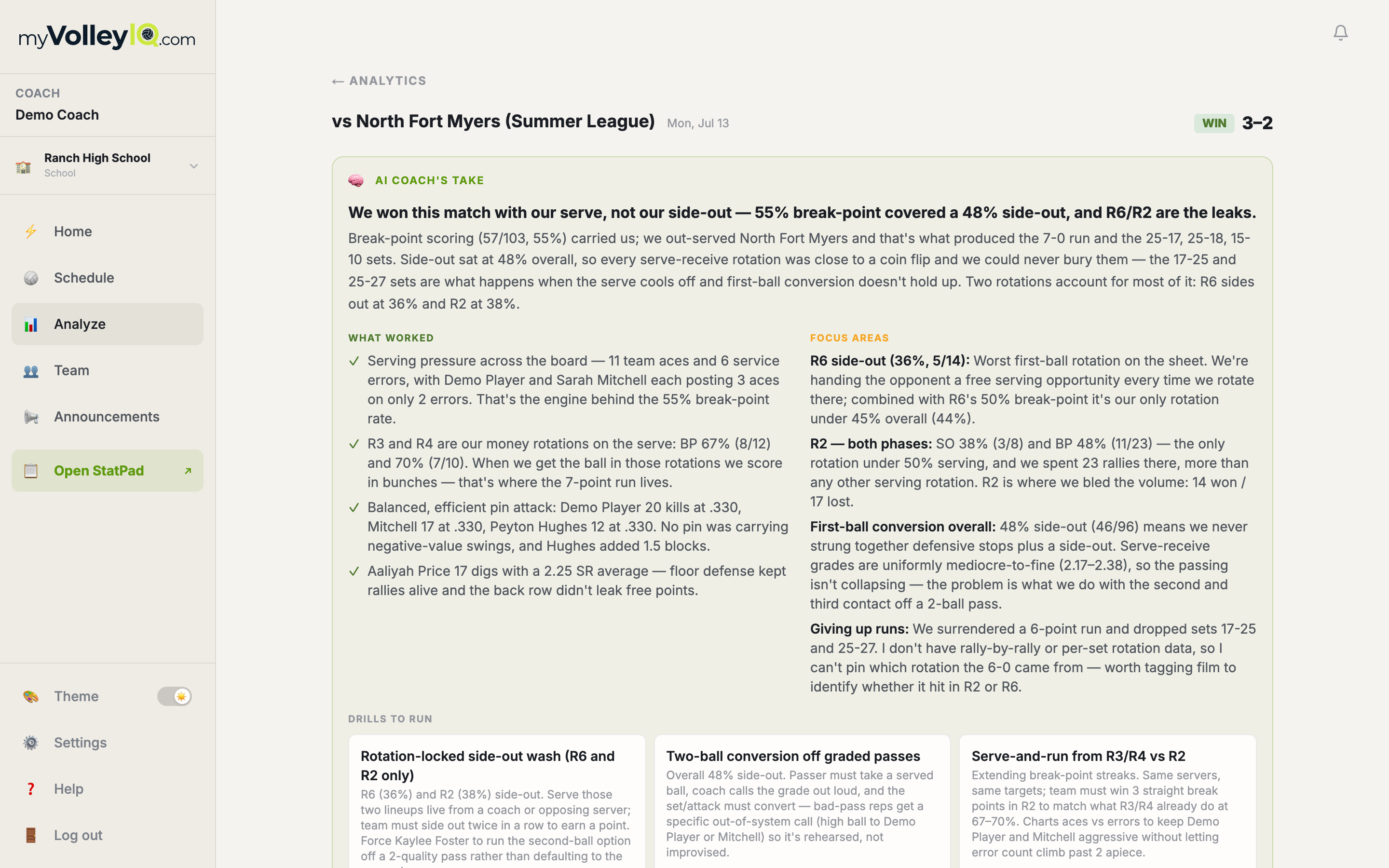
AI coaching
A match report that ends in a drill
About ninety seconds after the match, an AI read of your actual rally data: what decided it, which rotation broke, and what to run on Tuesday. Written from your match, not a template.
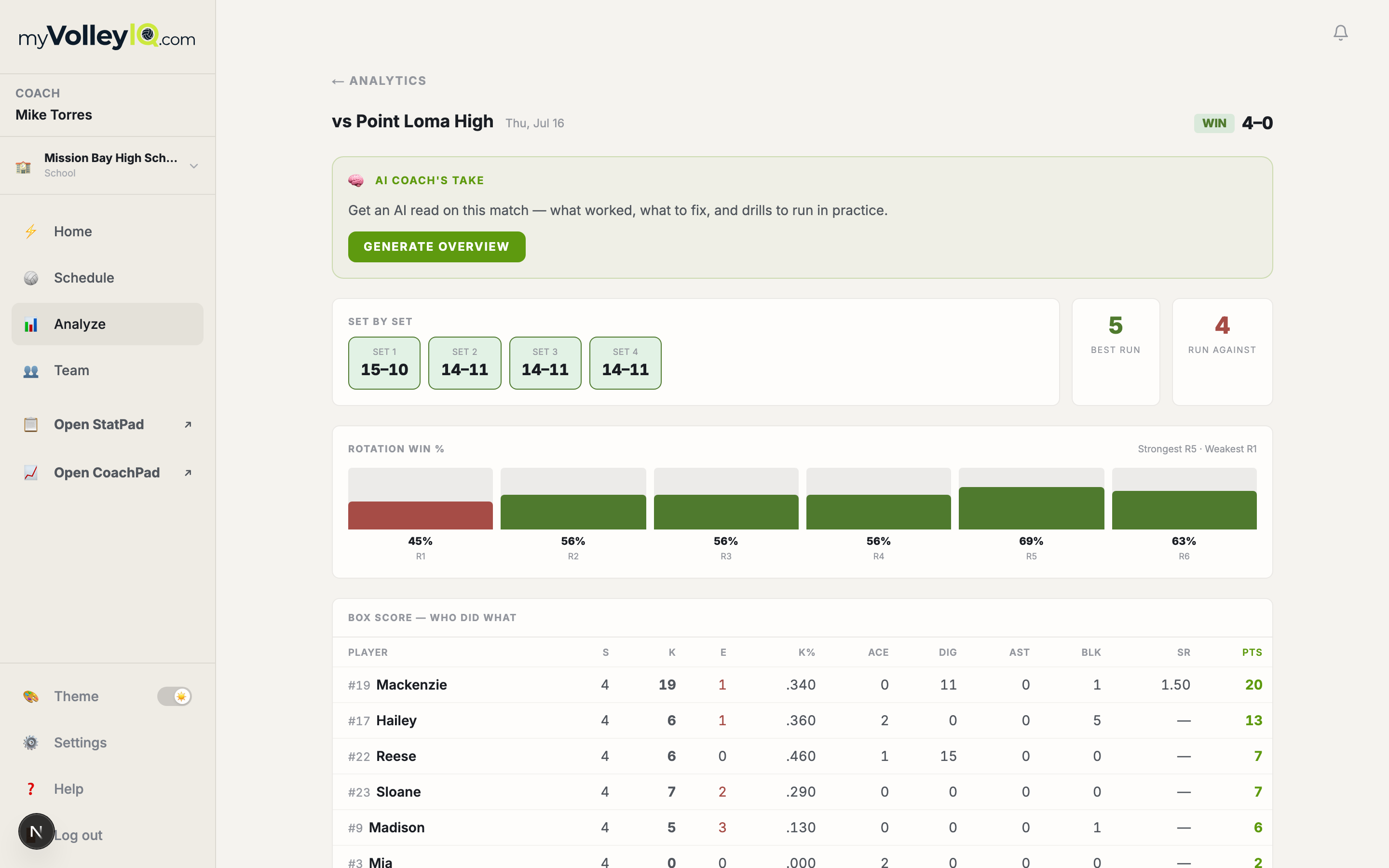
Match report
One page per match
Set scores, rotation splits, side-out and break-point rates, and the box score — the whole night on one page you can send to an AD.
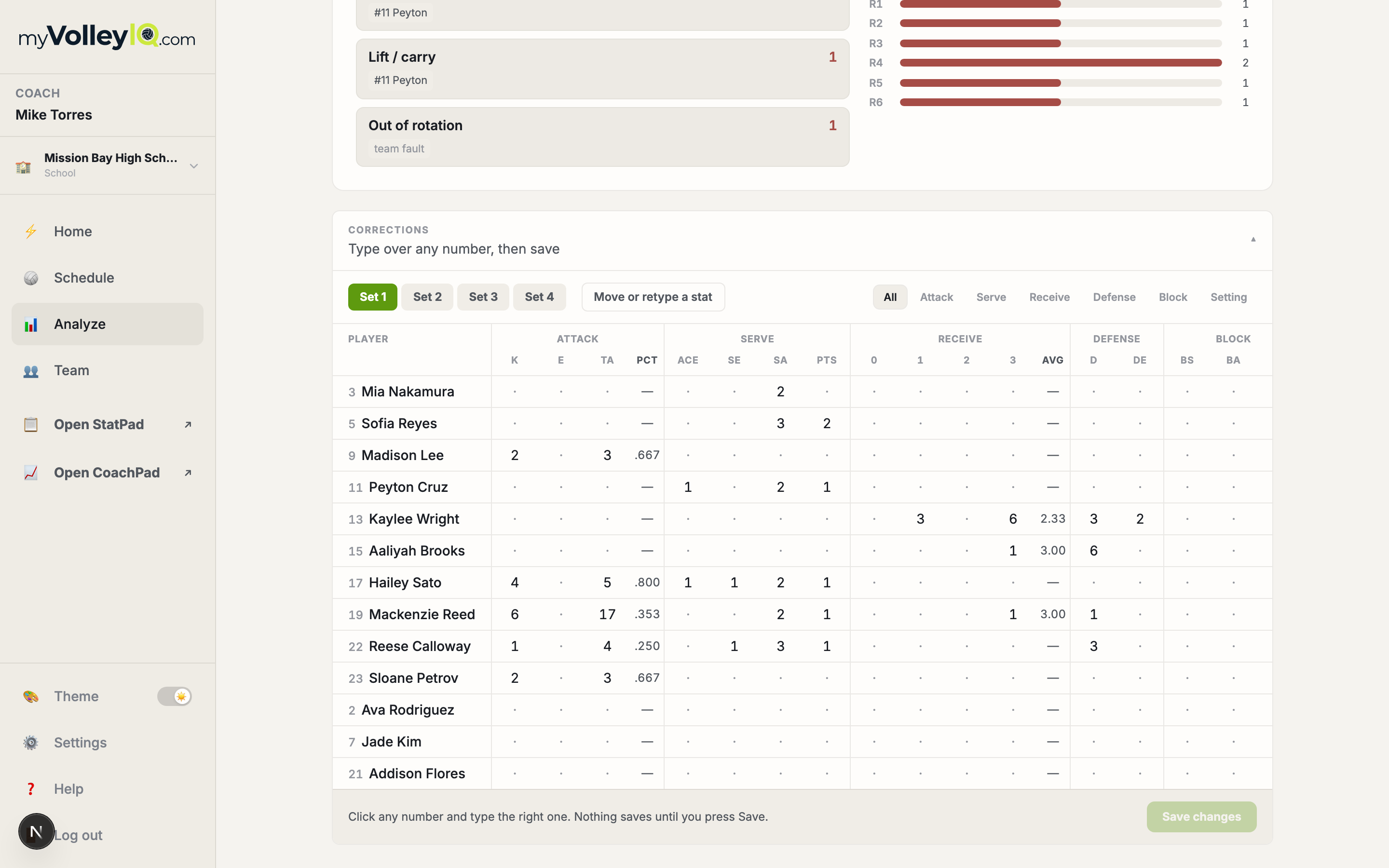
Corrections
Fix a match after it is over
A spreadsheet-style editor per player and stat. Wrong passer on a dig at 23-24? Correct it Monday; every staged change is listed before you save.
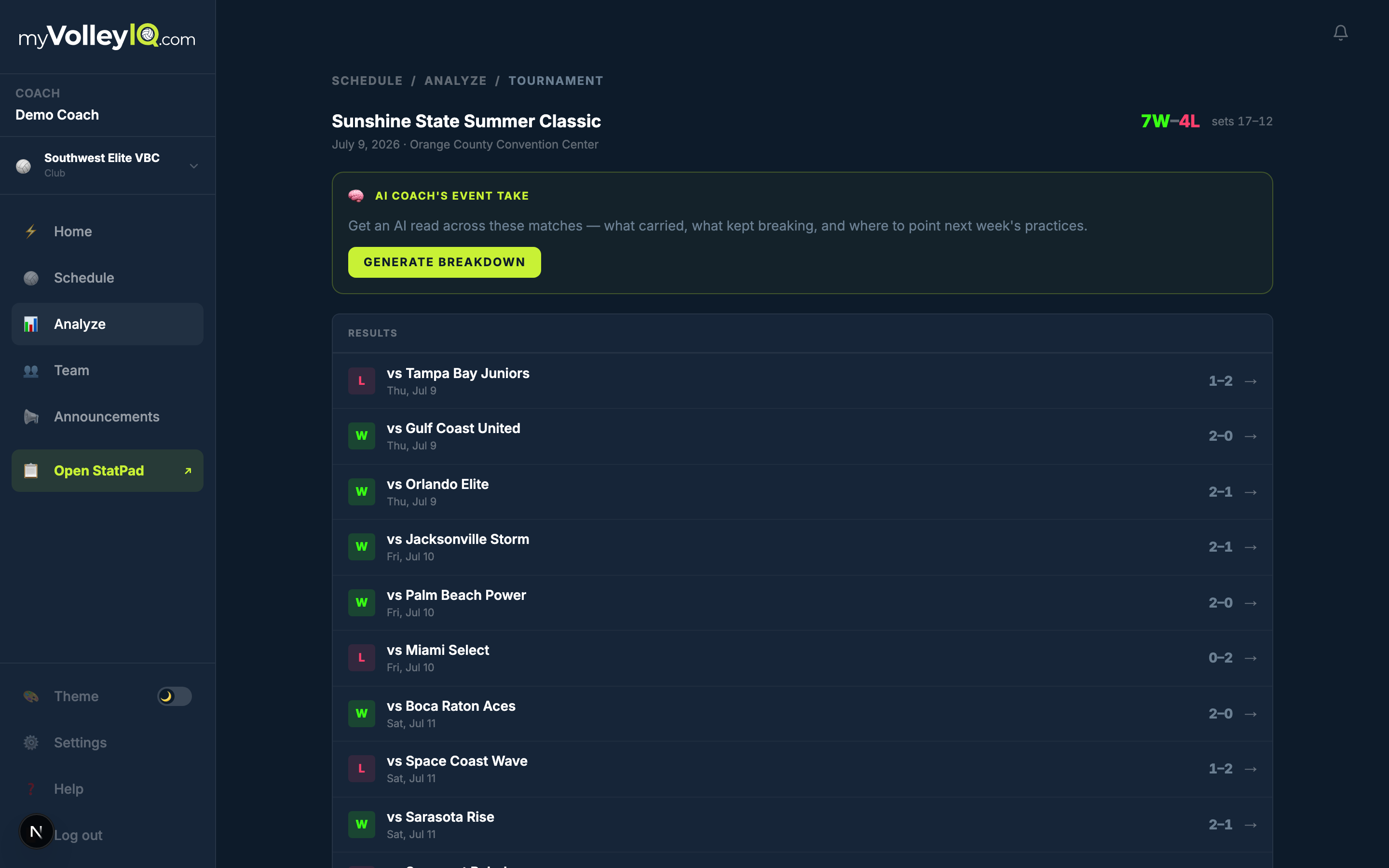
Tournaments
A weekend, read as one event
The AI event overview reads every match in a tournament and reports what carried, what to fix, and opponent-by-opponent notes for the rematch.
Between matches
A season of taps, arranged so the next decision is obvious.
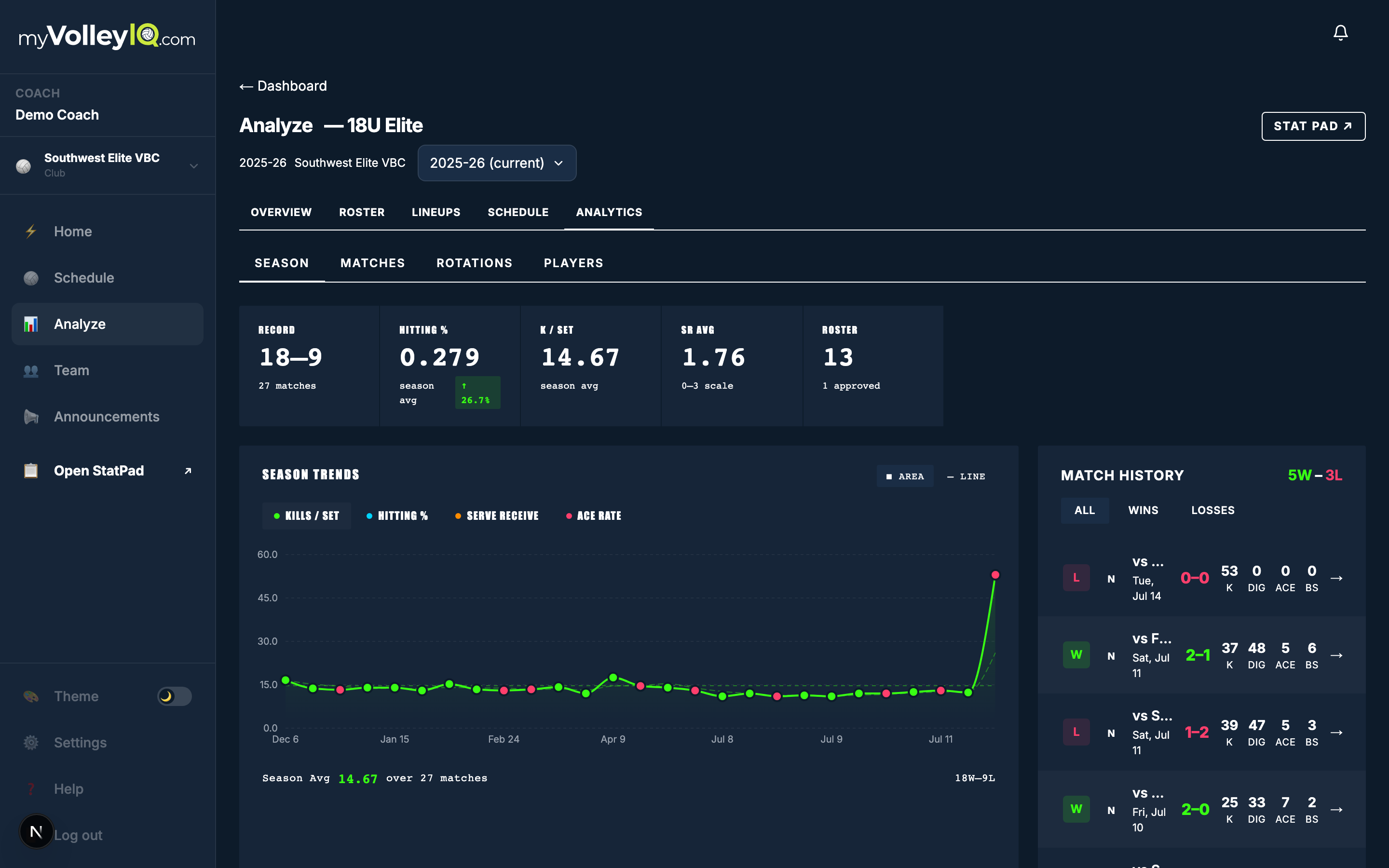
Analytics
The season on one page
Rotations, players, serving, matches and goals in one scroll — filtered by match, player, or the whole season.
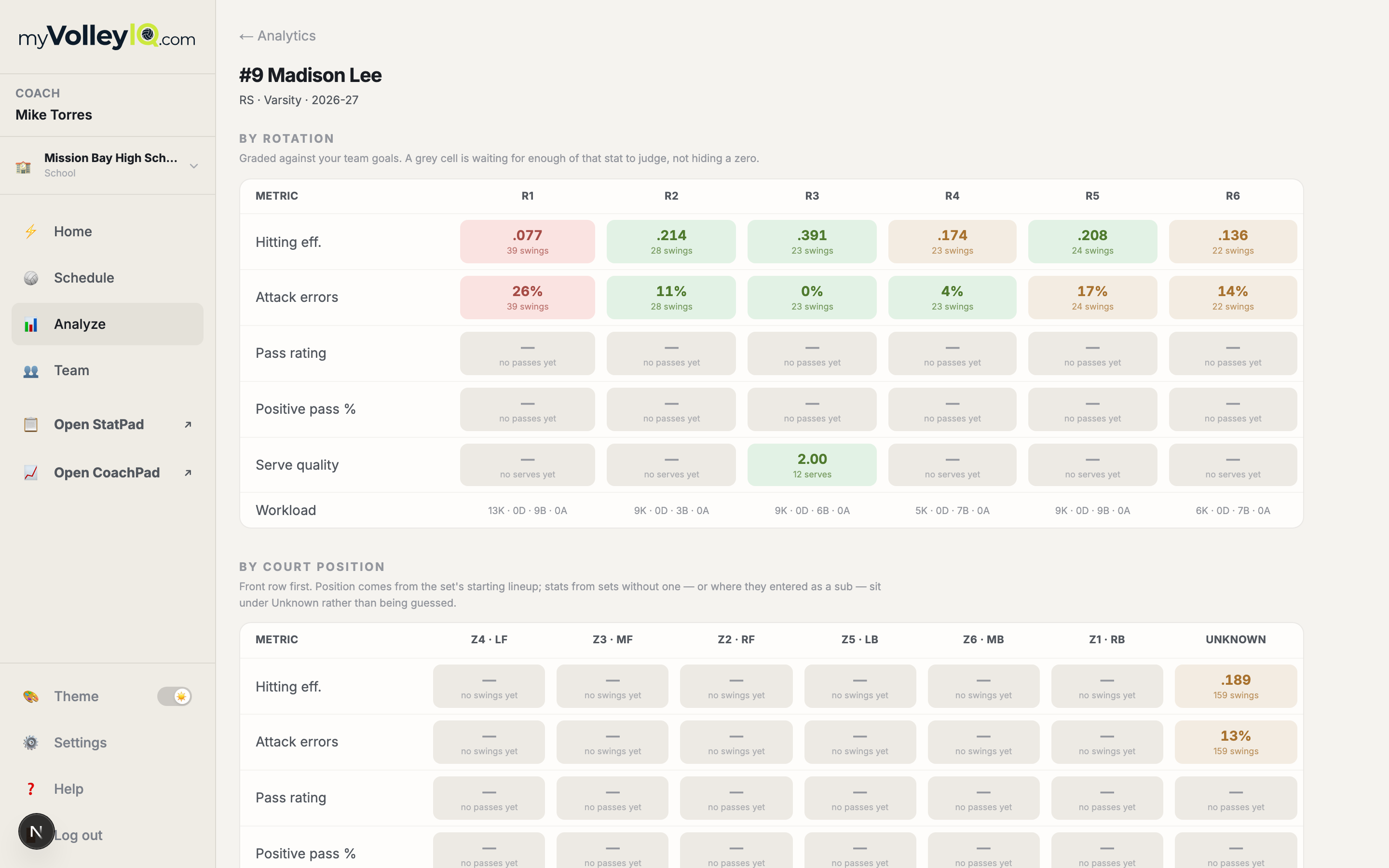
Analytics
A page per player
Five metrics against all six rotations, the same five against the six court positions, and a match-by-match trend under each.
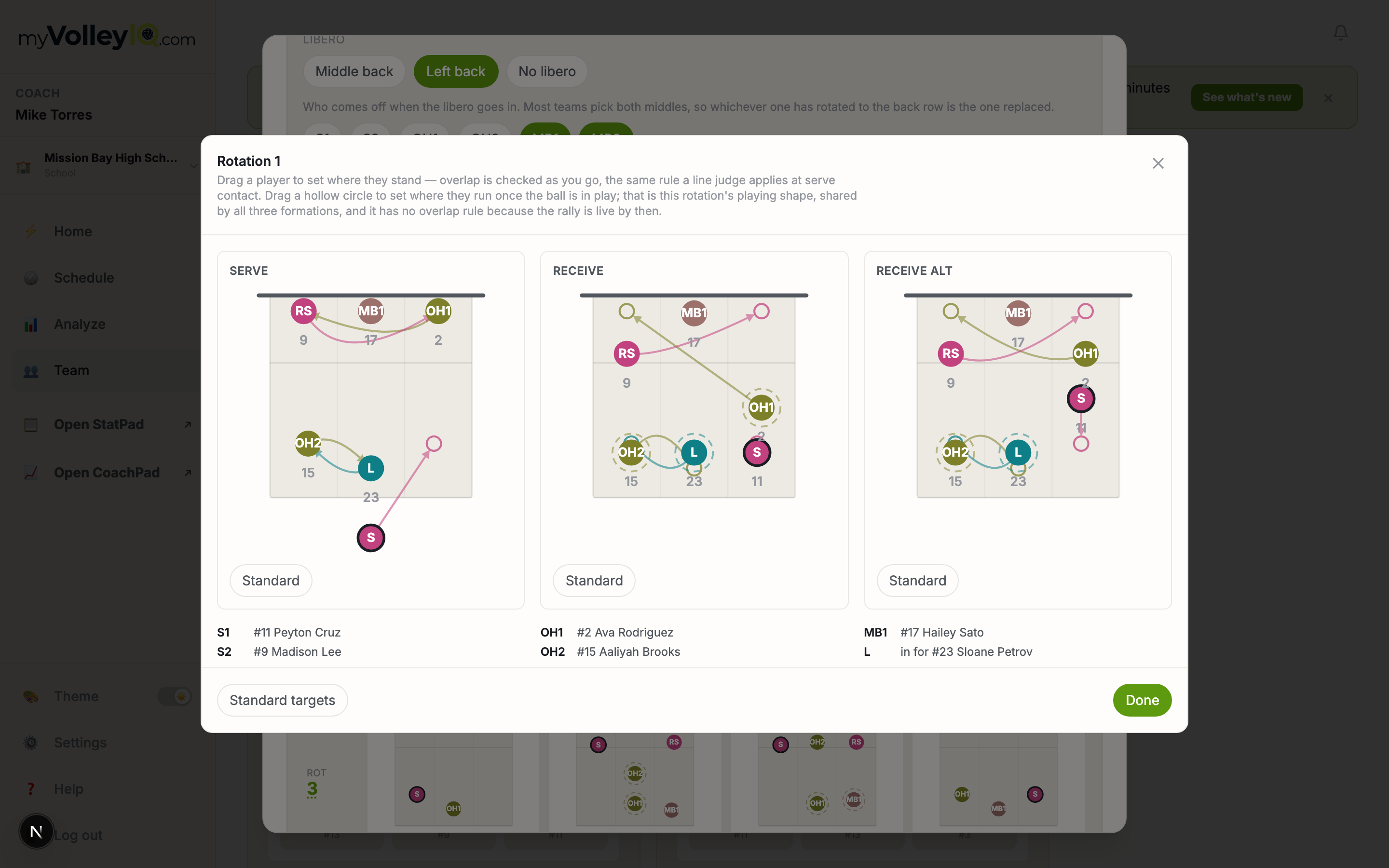
Rotations
Every rotation, yours to adjust
Open any rotation large and drag players to exactly where they stand, phase by phase. The editor checks overlap legality live, so what you draw is what a referee would allow.
Lineups
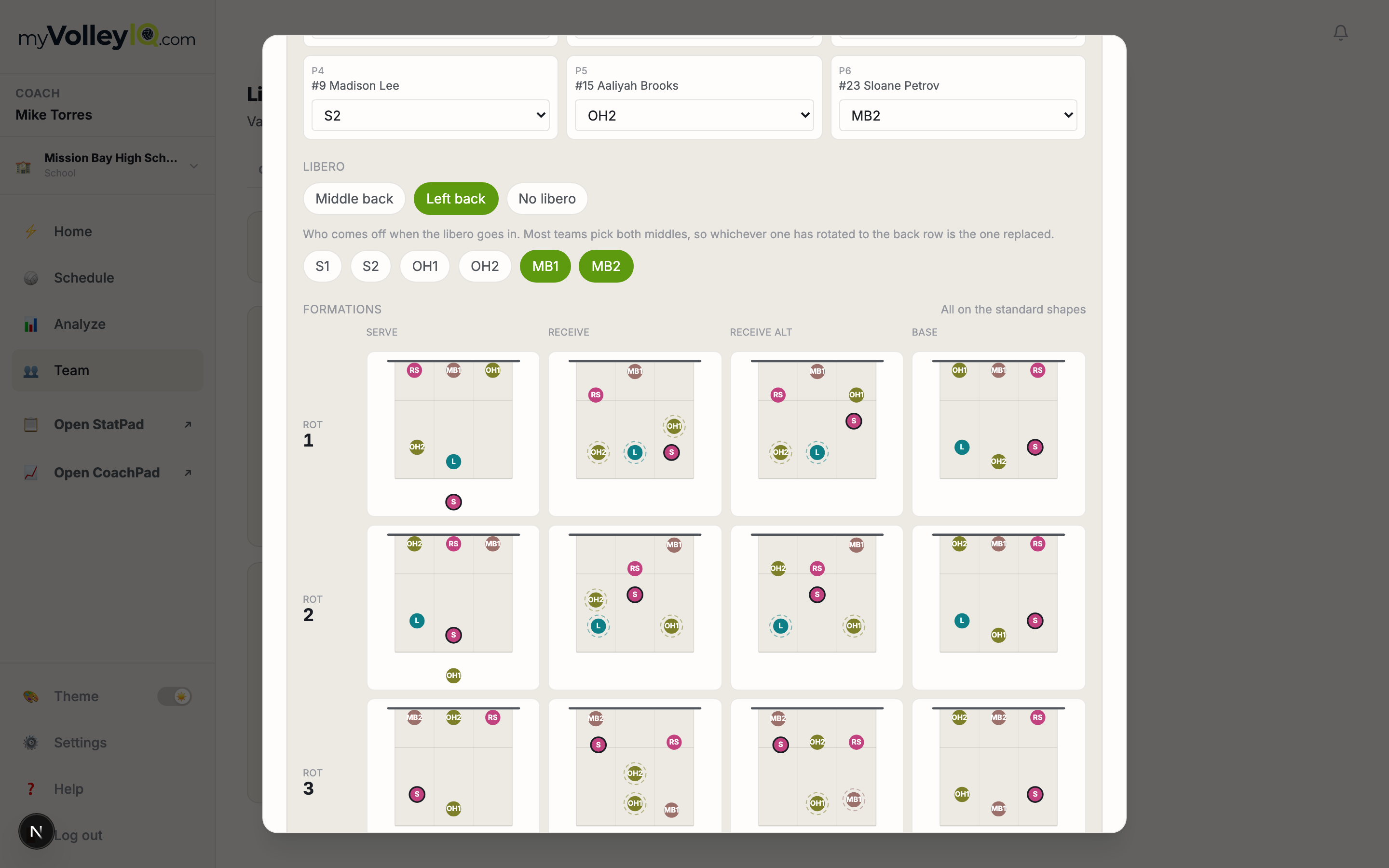
Lineups that know the system
5-1 or 6-2, libero plans, and per-slot roles. Serve, receive and base formations travel with the lineup to every surface — including the bench view.
Goals
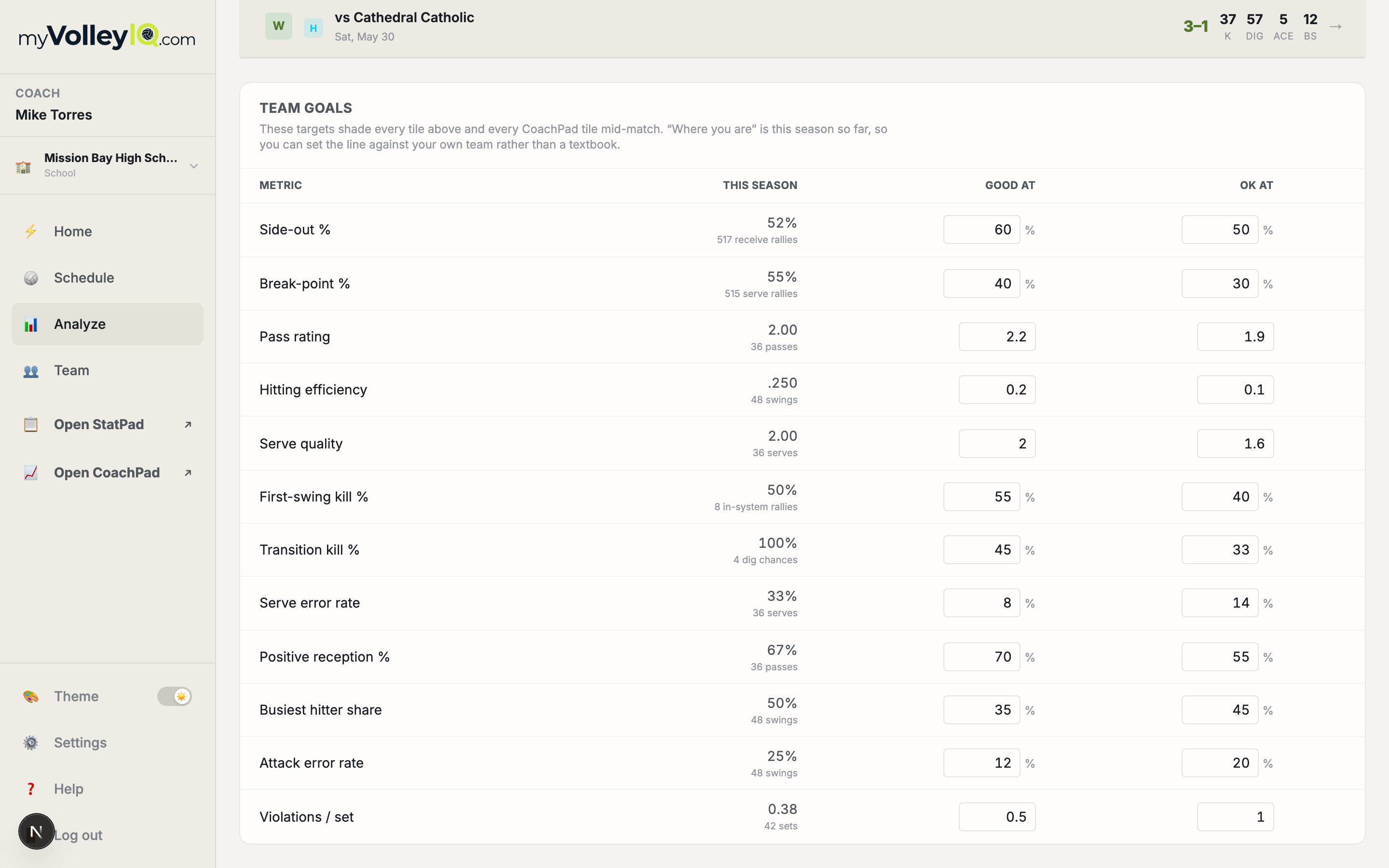
Targets your team actually sees
Set the thresholds that decide what counts as green — and every graded tile in the app follows, including CoachPad’s.
Workspace
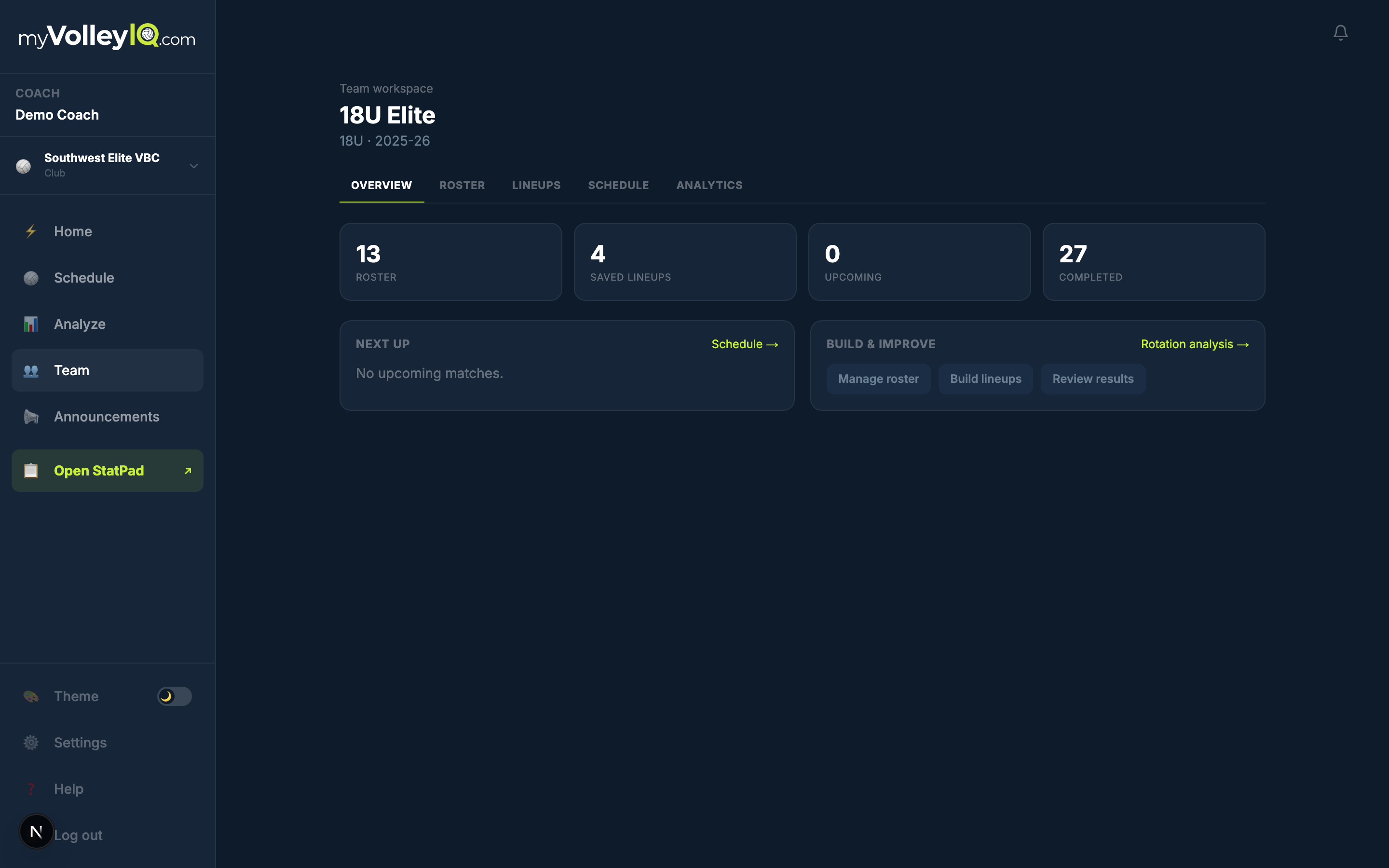
One home per team
Roster, lineups, schedule, analytics and practice under one set of tabs, with assistant coaches and statisticians carrying exactly the permissions you give them.
Practice
Drills, rotations, and scrimmages — tracked with the same scales as match play, stored completely apart from it.
Practice
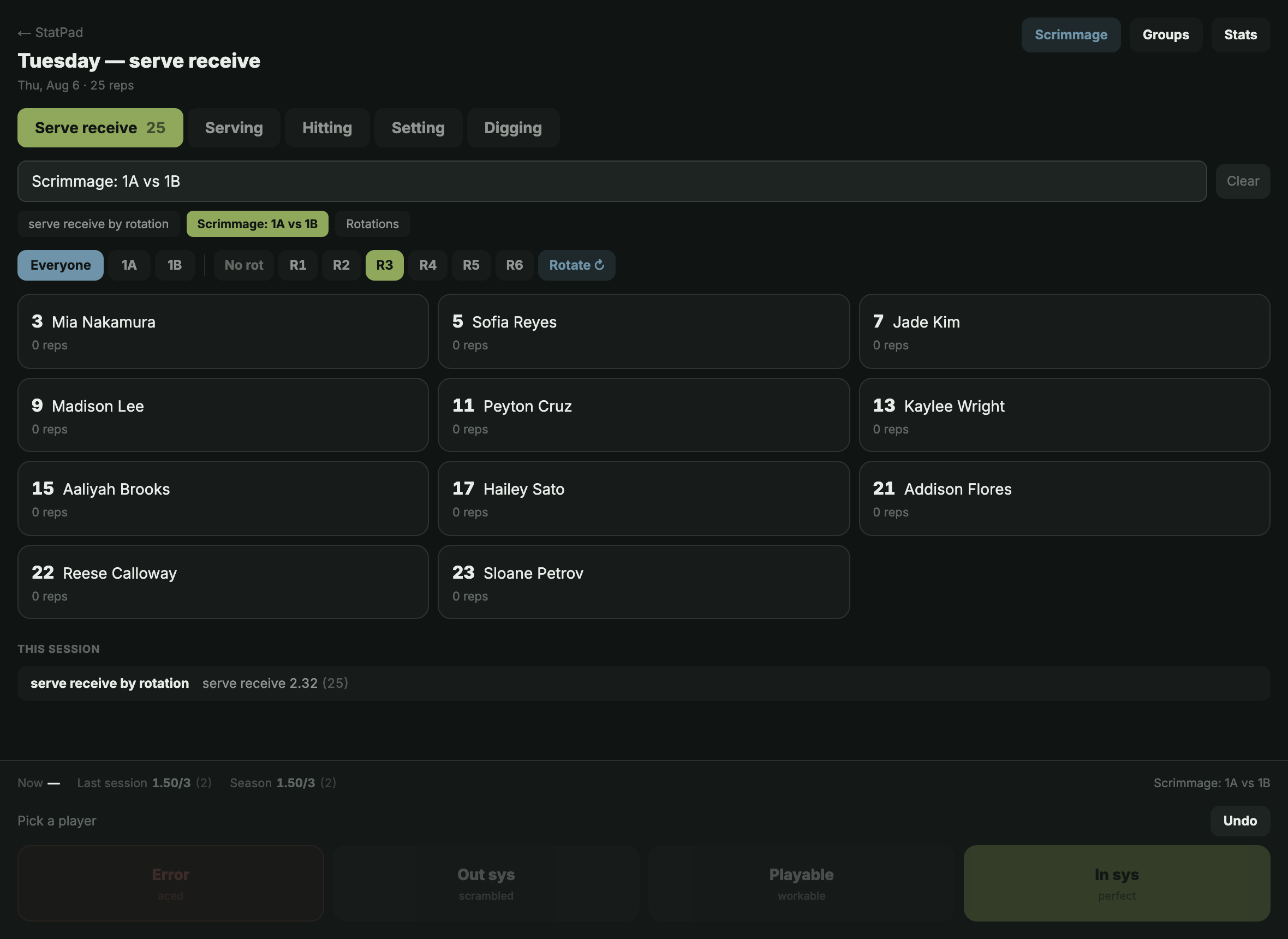
Rate reps by drill and rotation
A rep is two taps: player, rating. Groups of six draw as a court, Rotate moves them the way the whistle would, and a six-cell grid shows which rotation is soft while there is still practice left to fix it.
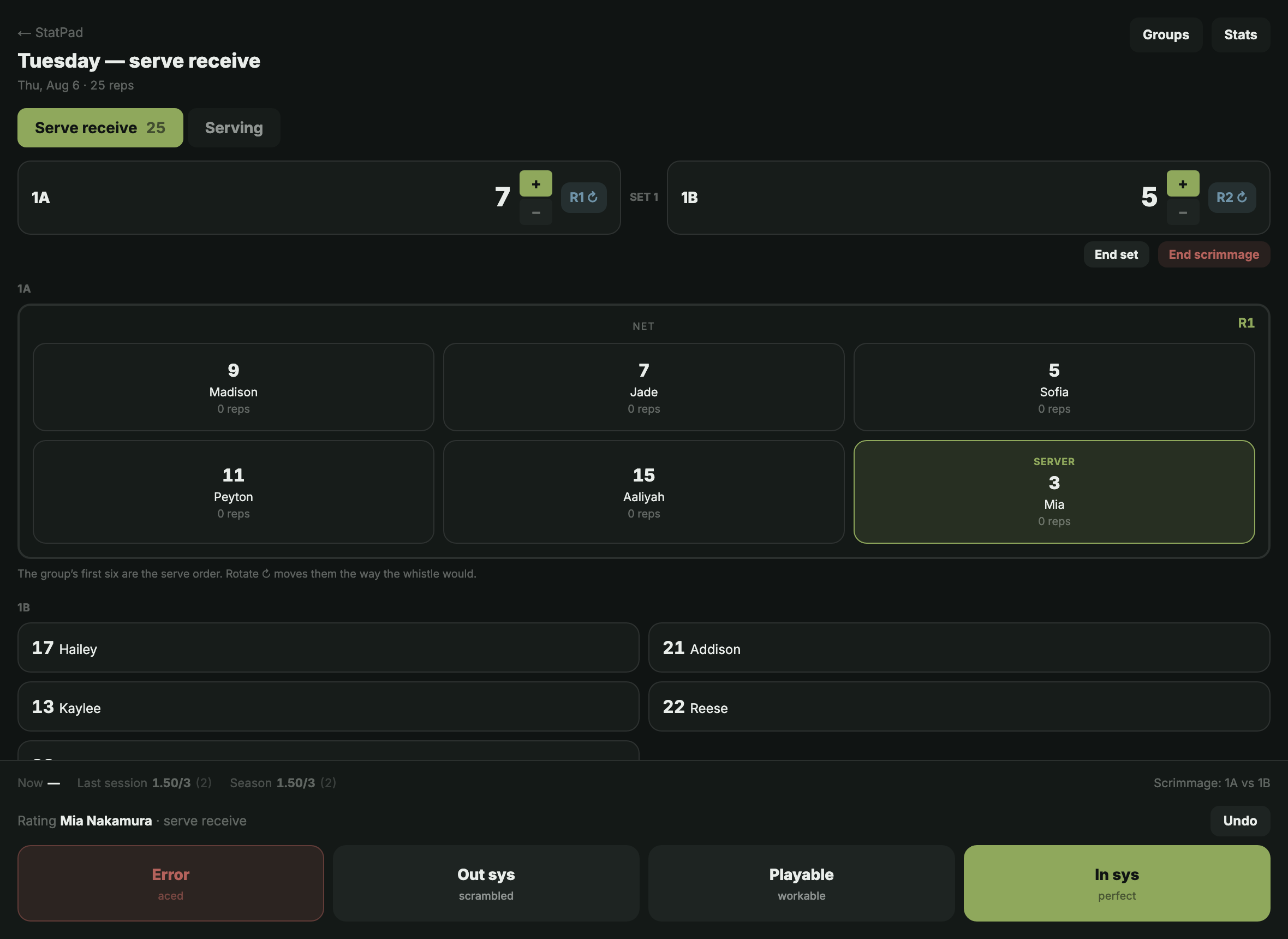
Scrimmage
Both courts, your rules
Split a group into 1A and 1B and run a scrimmage — each side keeps its own court, rotation and score, and you choose which skills to rate. Practice numbers never touch season stats or recruiting profiles.
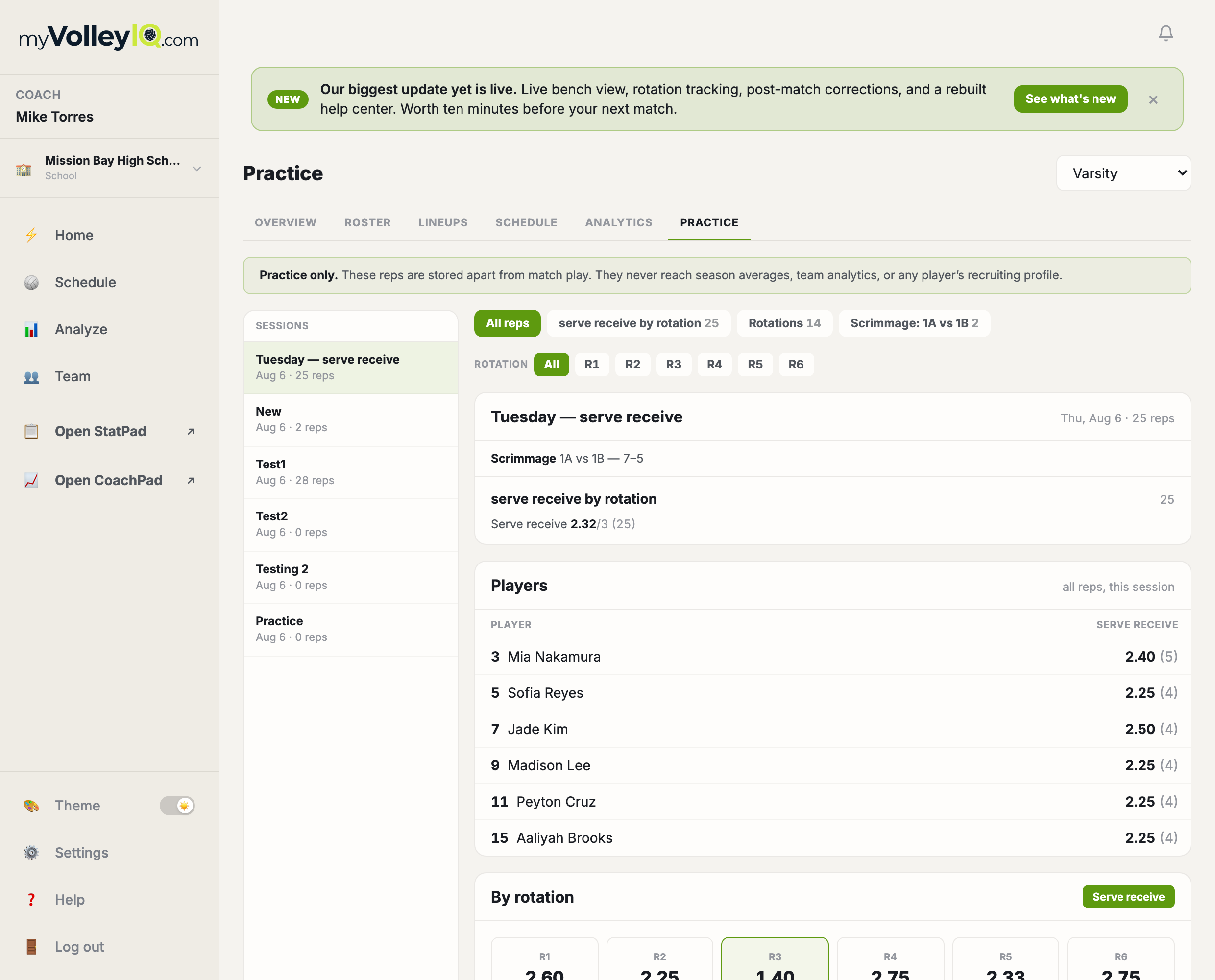
Practice
Every session, on the web
Each night broken out by drill, a player table, the by-rotation grid, and a trend across sessions — so you can see whether Tuesday’s work showed up by the next Tuesday.
Fourteen days free, full product.
Every plan starts with a 14-day trial. Set up your team, score a match, and see what the numbers say before you pay anything.
Stat the Match. Build the Future.
For players
You play.
Your record builds itself.
Every screen below is the real product. While your coach scores matches, your verified stats, your trends, and your recruiting profile assemble themselves — season by season, not a highlight reel.
Your profile
The page a college coach can trust, because you did not type the numbers on it.
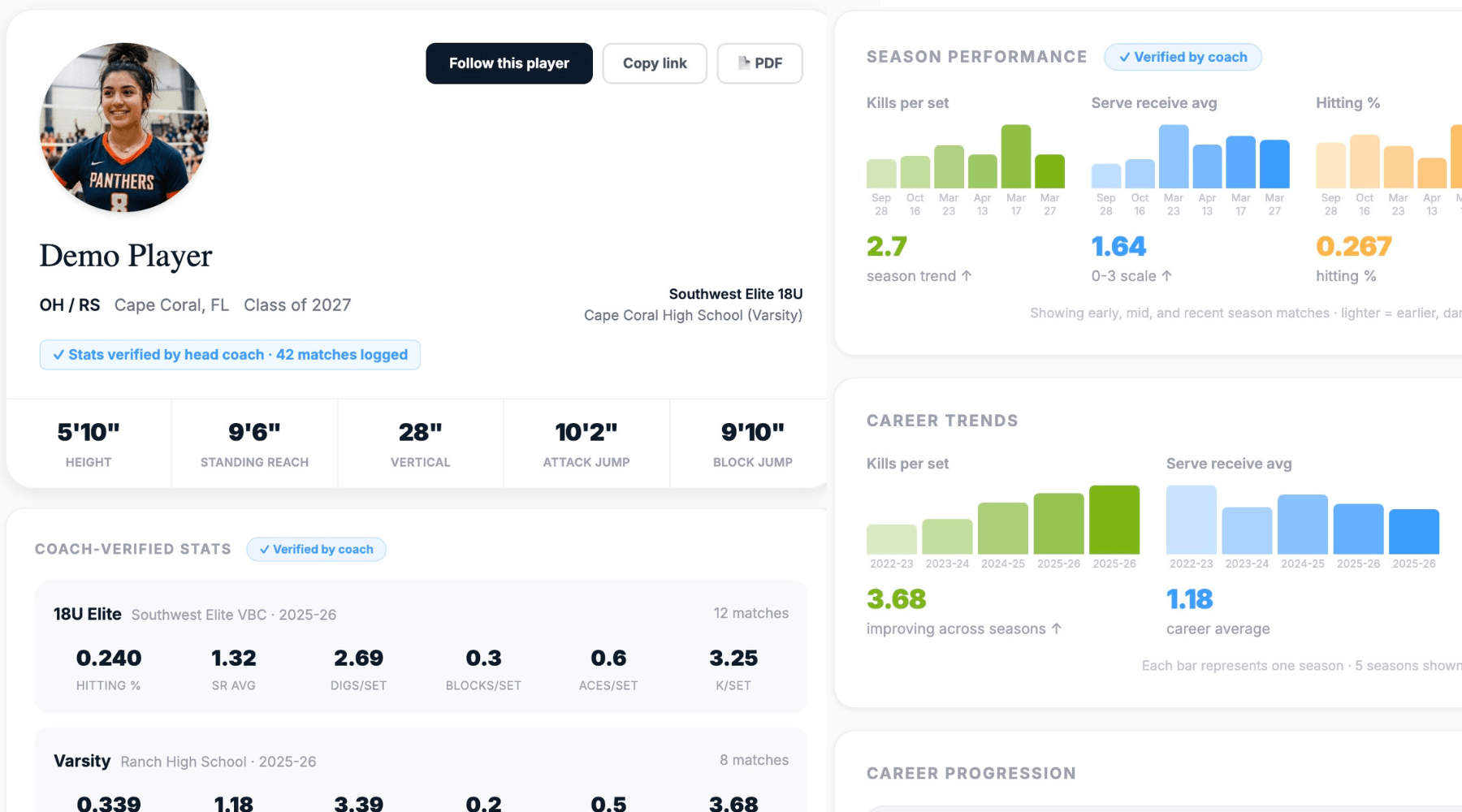
Recruiting profile
Verified by your coach, not typed by you
Every stat on your profile came from a real match somebody scored on the bench. It says who verified it and how many matches it came from — which is exactly what a college coach checks first.
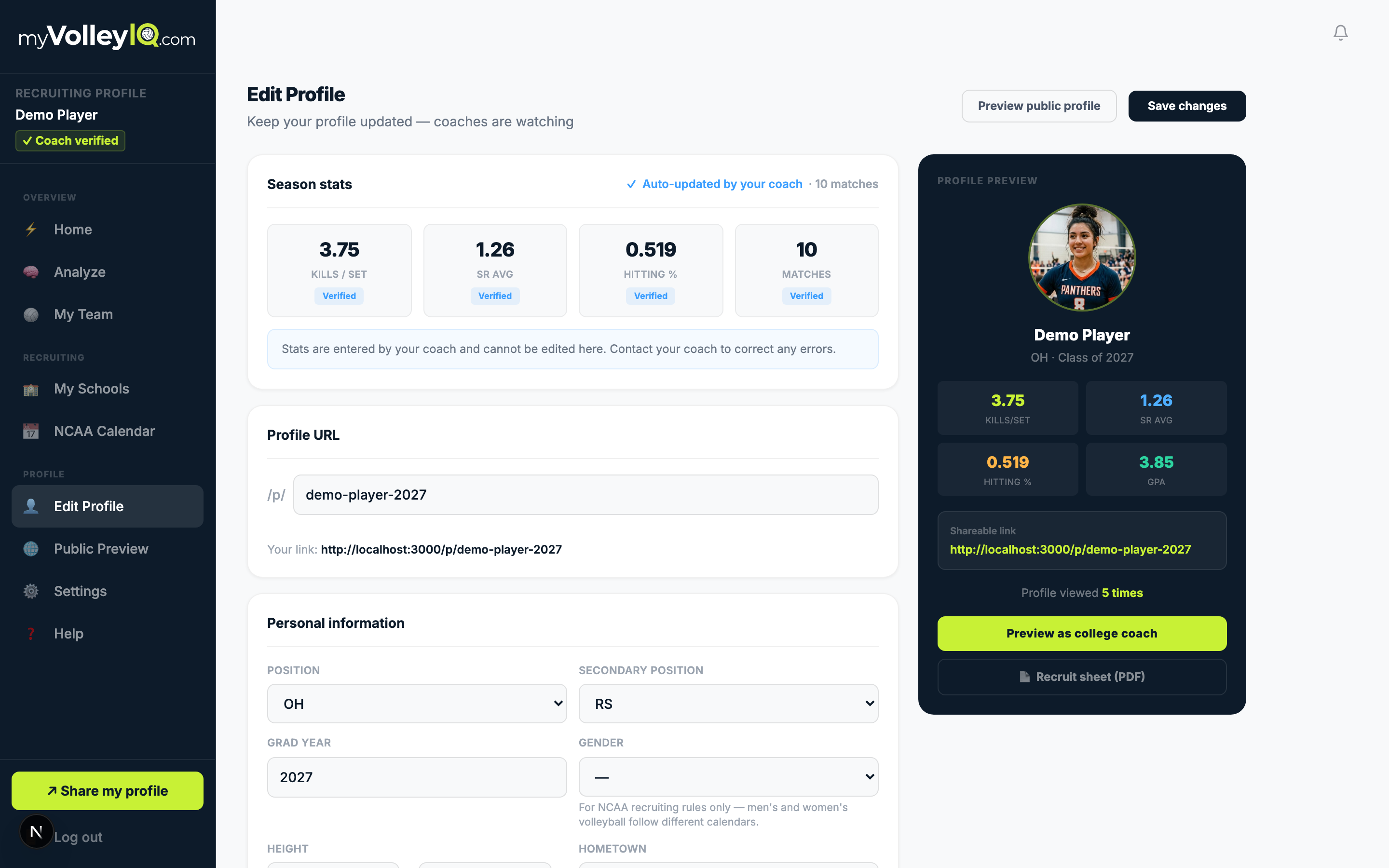
Your page
The parts you own
Height, reach, positions, GPA and test scores, highlight link, your story. You control what is public; the match numbers stay coach-verified next to it.
Dashboard
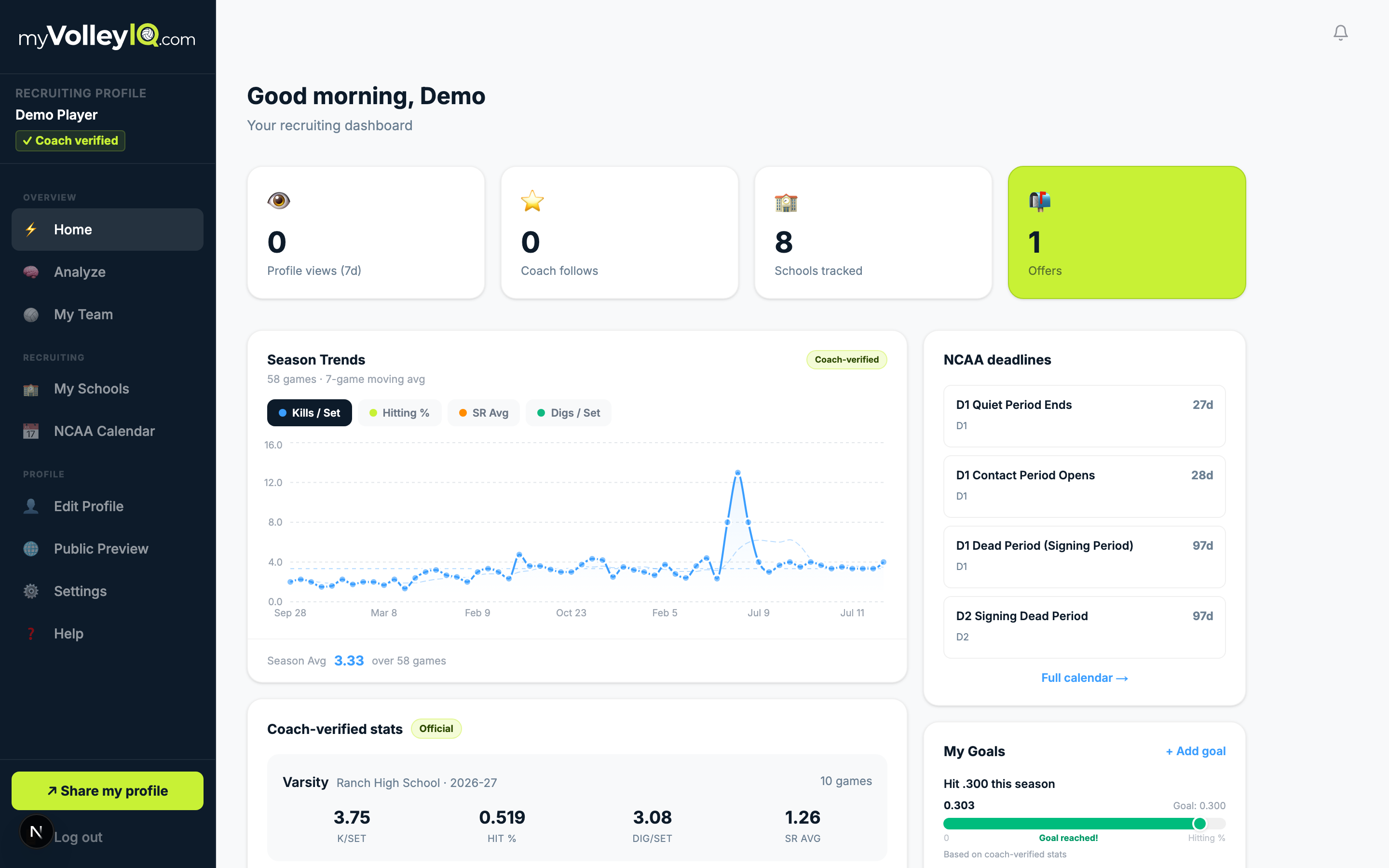
Your season at a glance
Latest matches, your numbers, what changed. It updates itself every time your coach scores — you never enter a stat.
The school pipeline
Run the search like the season: staged, dated, and never dropped. This is where recruiting stops being a notes app.
Schools
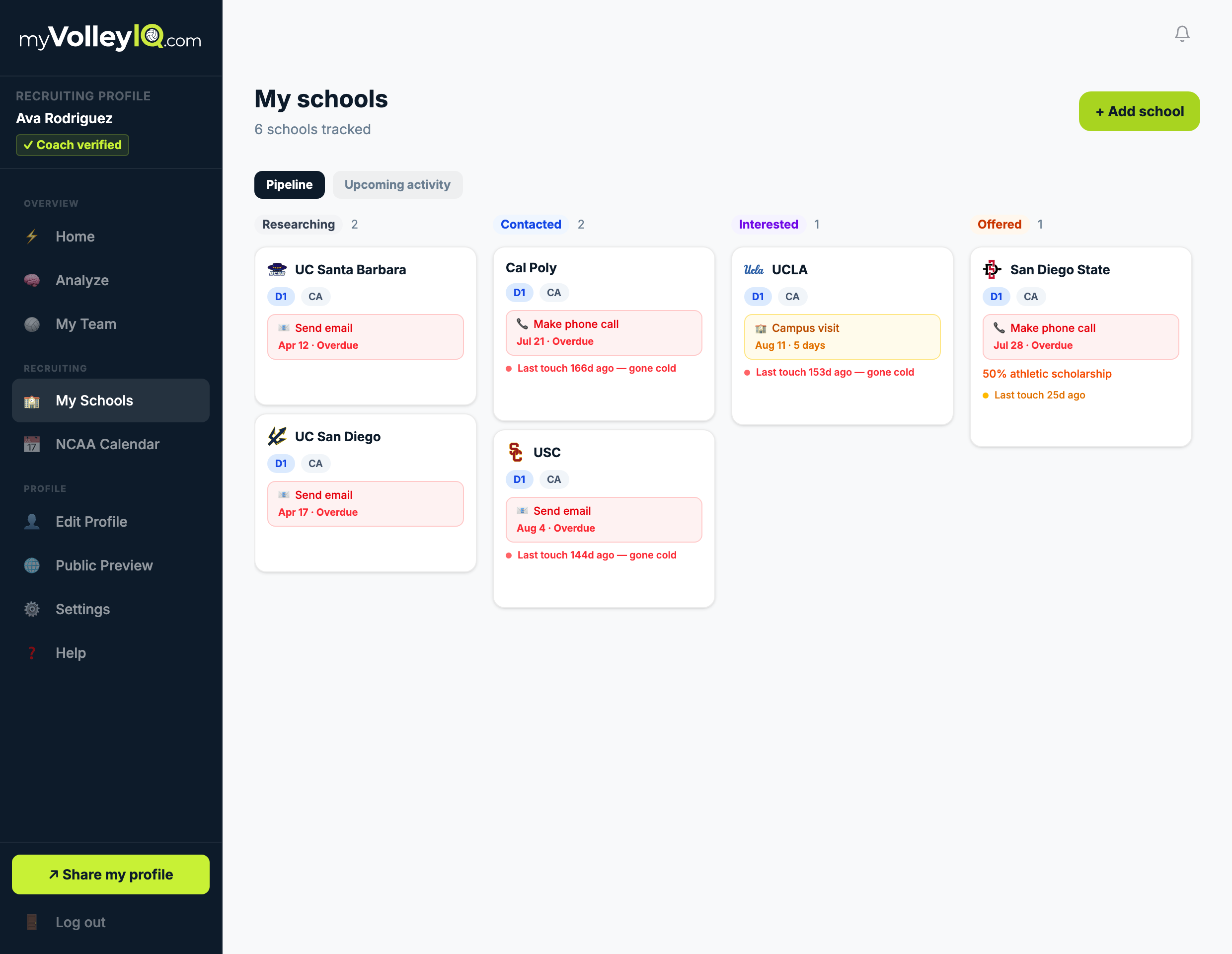
Your whole search, as a pipeline
Every program you are talking to, staged from researching to committed. Part of the recruiting upgrade — and the reason the school you emailed in June cannot go quiet in September without you noticing.
Schools
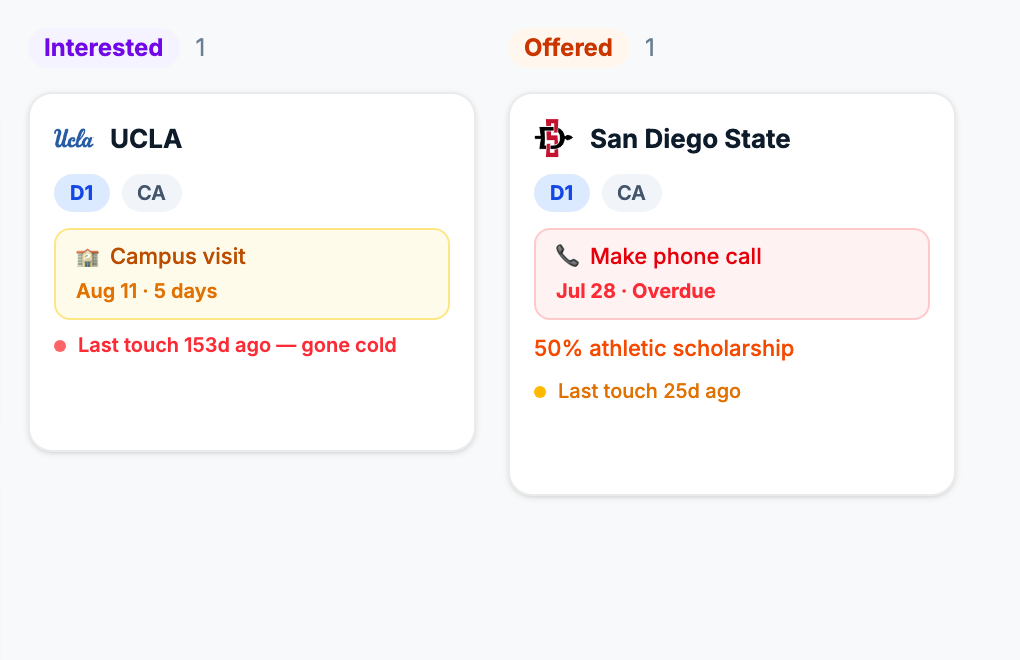
The board does the nagging
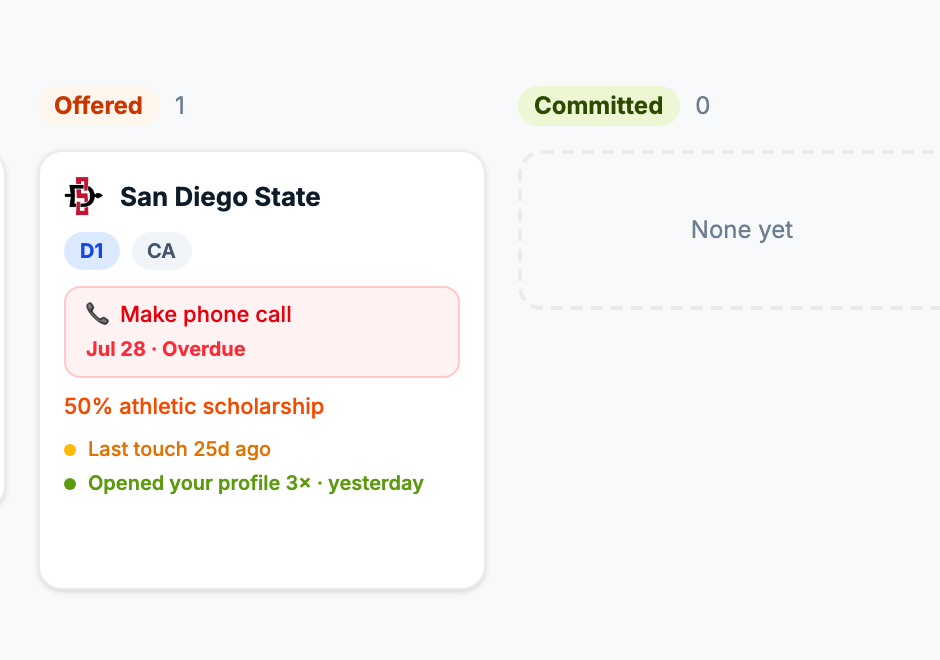
Every school carries its next step and its date. Overdue turns red, silence turns into a “gone cold” warning, and an offer sits right on the card.
Schools
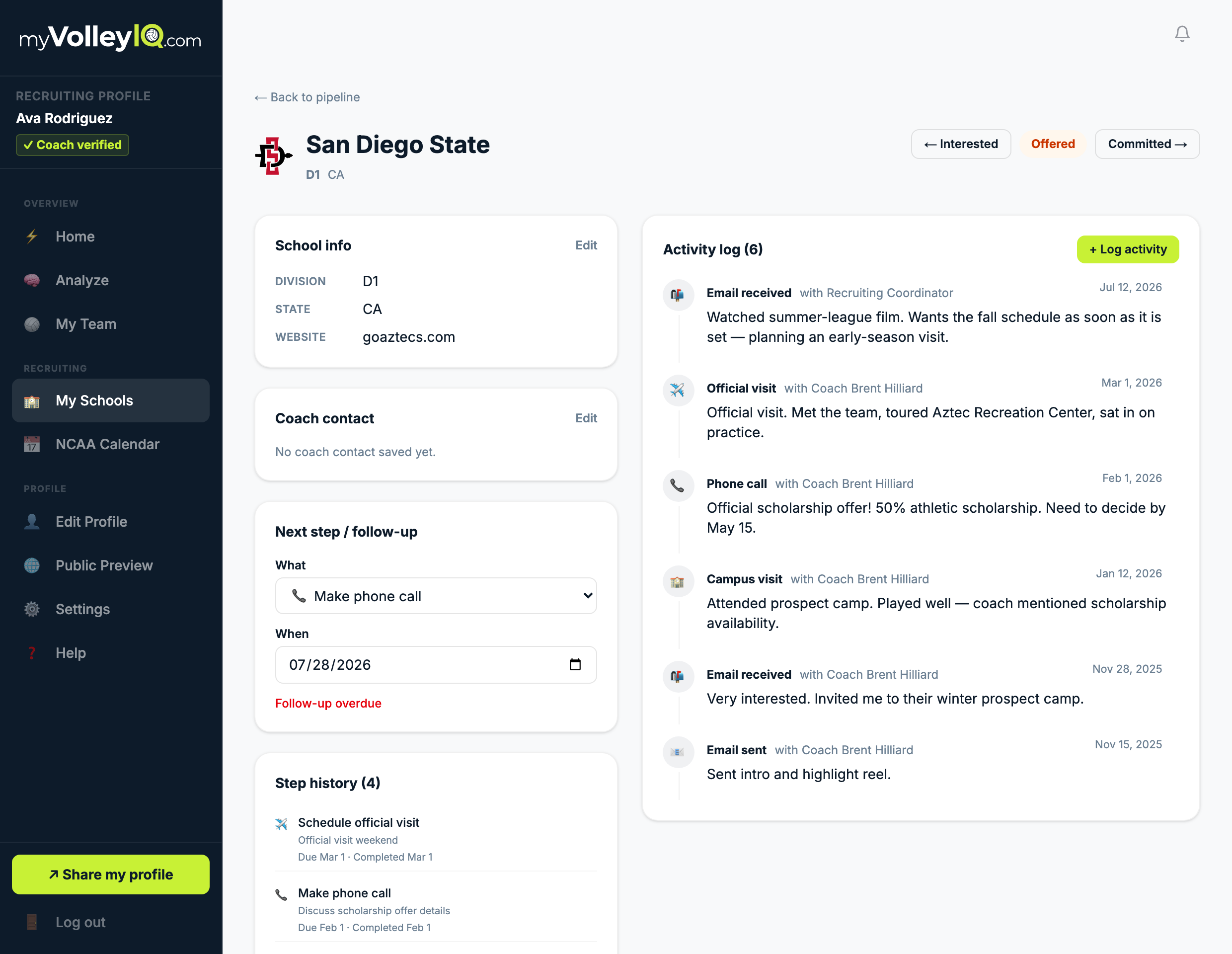
Inside every school
The full history with a program — every email, call, camp and visit — next to the one step that moves it forward. Advance the stage as it happens: interested, offered, committed.
Schools
Know who is actually reading
Each school gets its own copy of your profile link, so the card can tell you when they opened it. Quiet for 25 days but reading yesterday is a completely different situation from quiet and never looking — and those used to look identical.
Where to watch you
The question a recruiter asks right after your numbers.
Schedule
Tell them where to find you
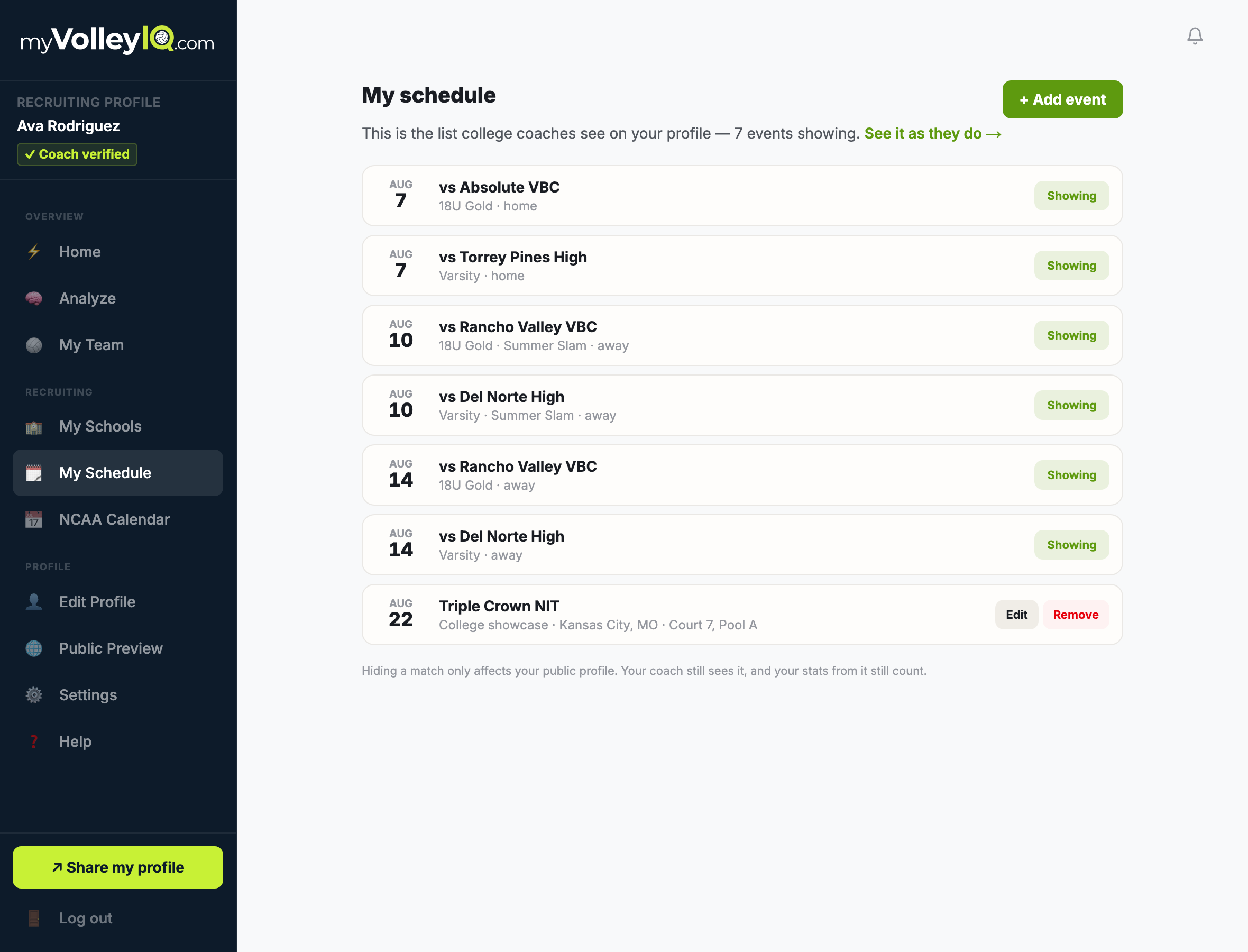
Your profile answers the recruiter’s next question — when can I watch her — and you decide what is on it. Team matches arrive on their own; hide the ones not worth a trip, and add the showcases and ID camps no team schedule knows about, down to the court and pool.
Develop and get seen
Your trends and the recruiting clock, honestly labeled.
Analyze
See yourself improve
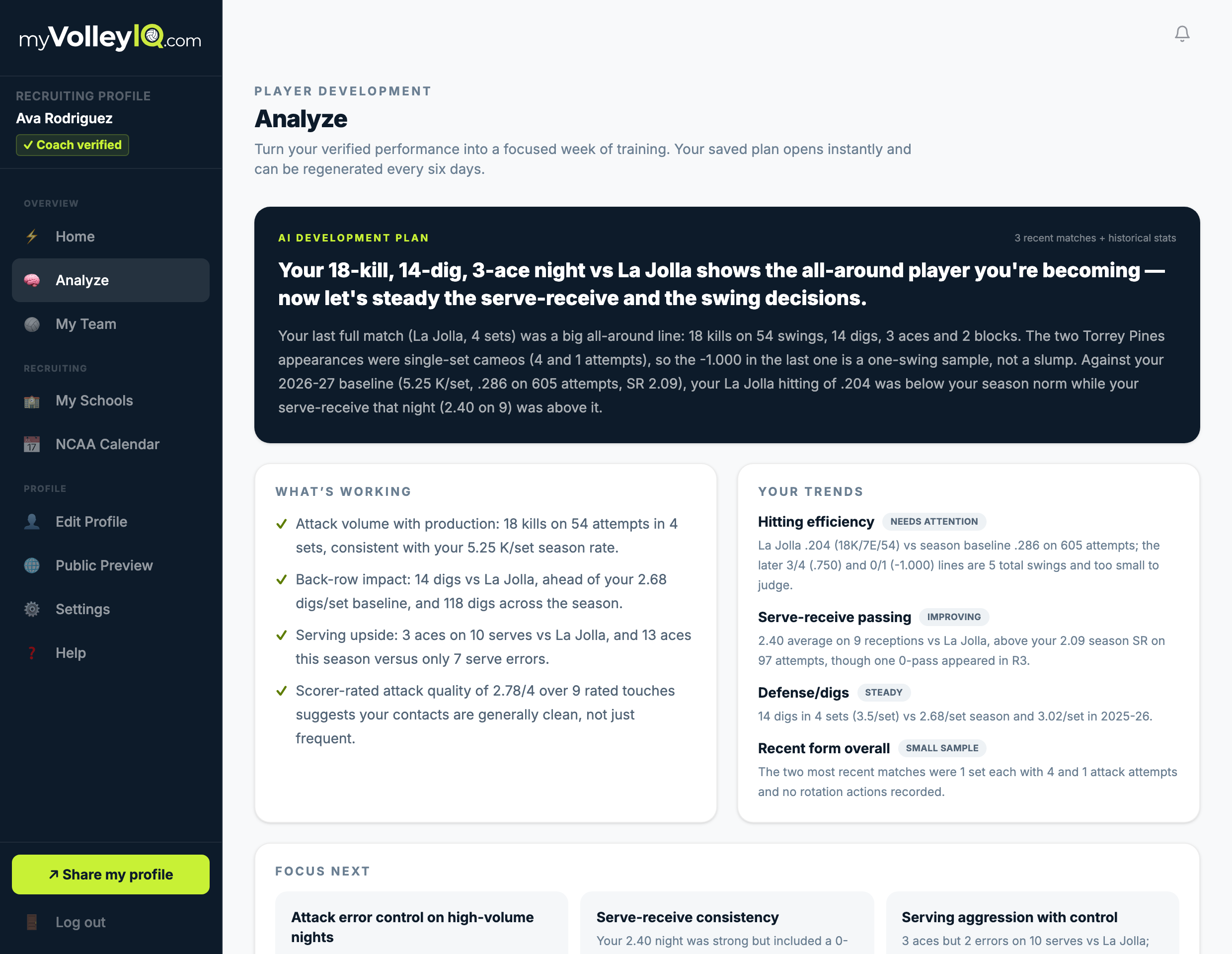
Trends with honest labels — improving, steady, needs attention — and an AI development plan written from your verified matches, down to knowing a one-swing night is a sample, not a slump. Part of the recruiting upgrade.
Calendar
The recruiting clock, decoded
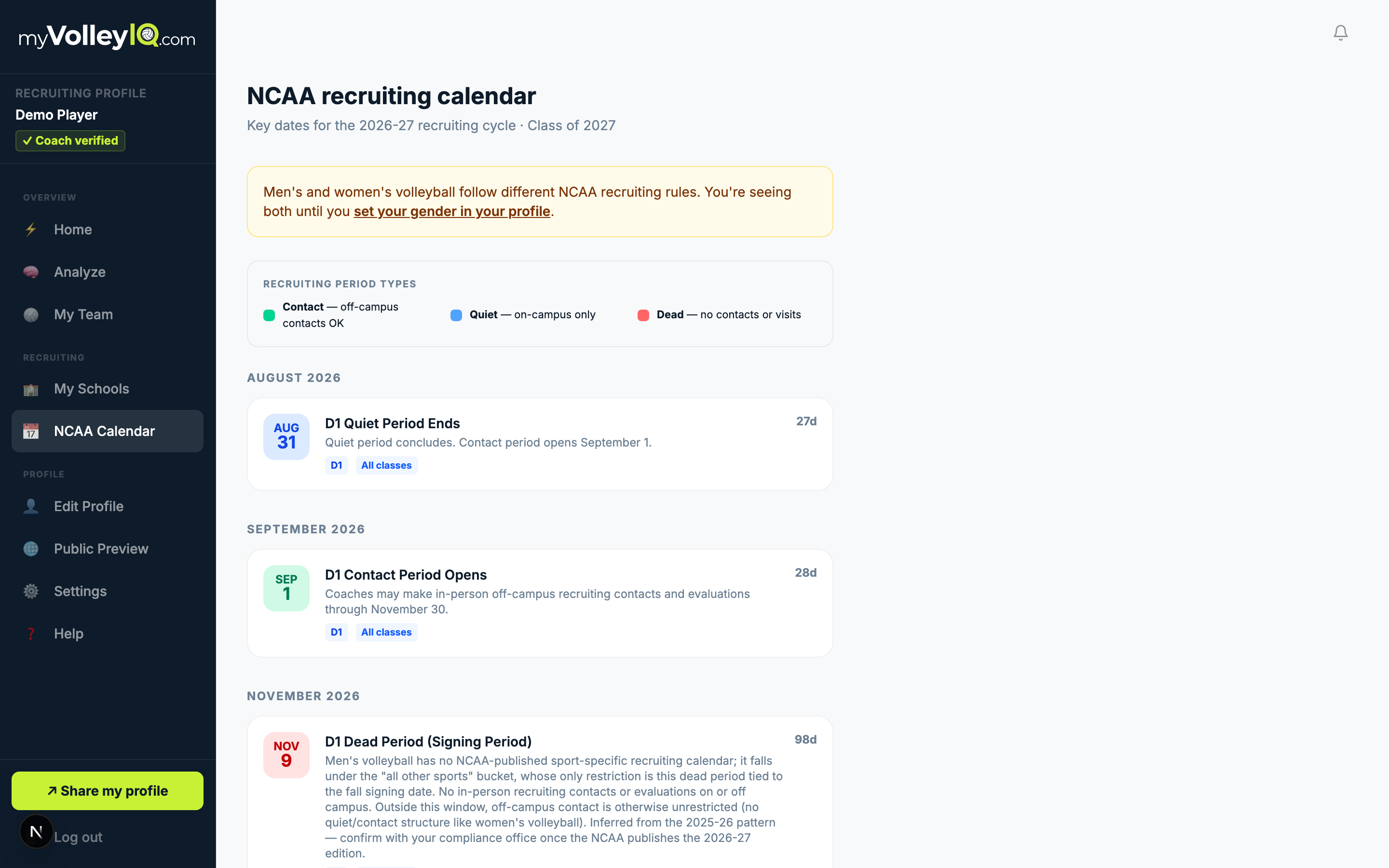
Quiet periods, dead periods, contact windows — the NCAA calendar for your gender and grad year, translated into what you can actually do this month.
The people in your corner
Family follows live; privacy stays yours.
Live hub
Your family, courtside from anywhere
One link shows the live score, who is on court, and every kill and ace as it happens. No login, no app — a parent at work sees the match.
Parents
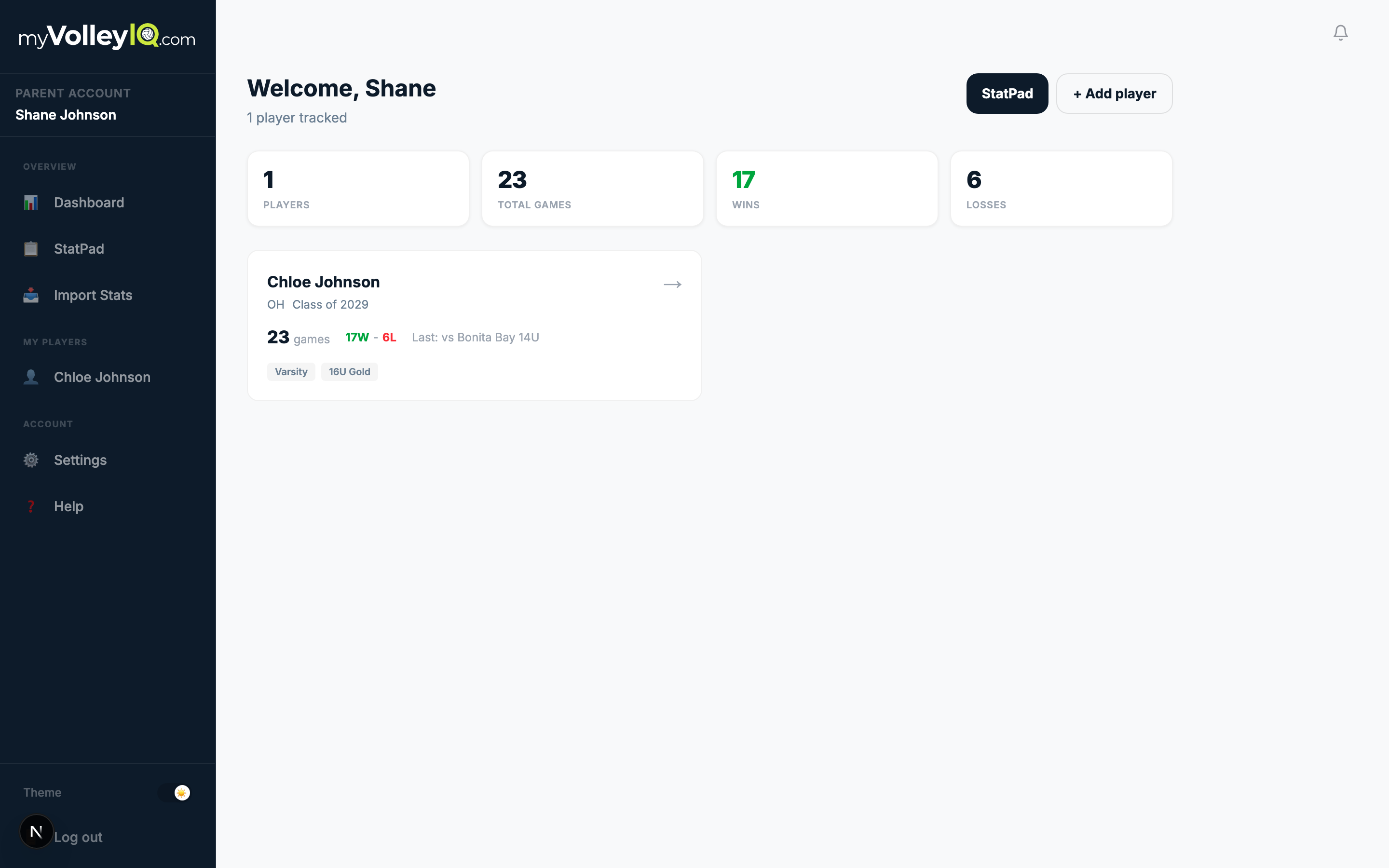
A parent view of the season
Parents follow your schedule, results, and progress from their own account — with your privacy settings deciding what the public ever sees.
If your coach uses VolleyIQ, your account is free.
Not a trial. Every match your coach scores adds to your verified record, season by season, and you never enter a stat. Upgrade only if you want the public recruiting page, the school pipeline, and the development plan.
Stat the Match. Build the Future.